Viewing Active Sessions
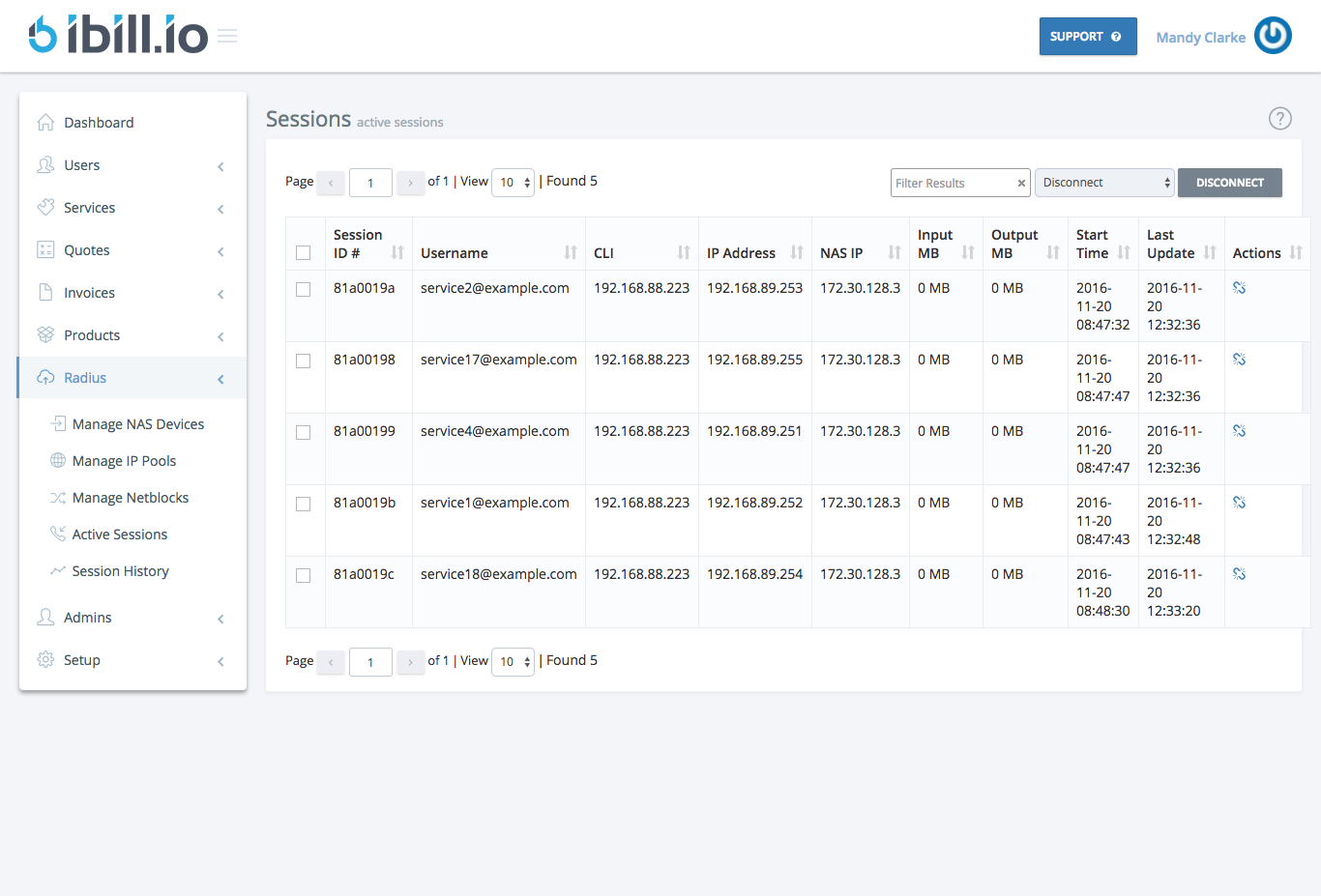
The Active Sessions page allows you to monitor all currently connected users and services in your network. This is essential for real-time troubleshooting and network management.
What You Can See
- Session ID
- Username
- CLI
- IP Address
- NAS IP
- Input MB / Output MB
- Start Time / Last Update
- Actions (Disconnect)
How to Use
- Monitor session details for all active users.
- Use the Disconnect action to terminate problematic or unauthorized sessions.
Best Practices
- Regularly monitor active sessions for unusual activity.
- Use session data to troubleshoot connectivity issues.
For further assistance, click the support button at the top right of this page.