Managing Netblock Pools
Netblock Pools are collections of IP address ranges (CIDR blocks) that can be assigned to customers or services. Managing netblocks in iBill.io helps you efficiently allocate and track your IP resources.
How to Manage Netblock Pools
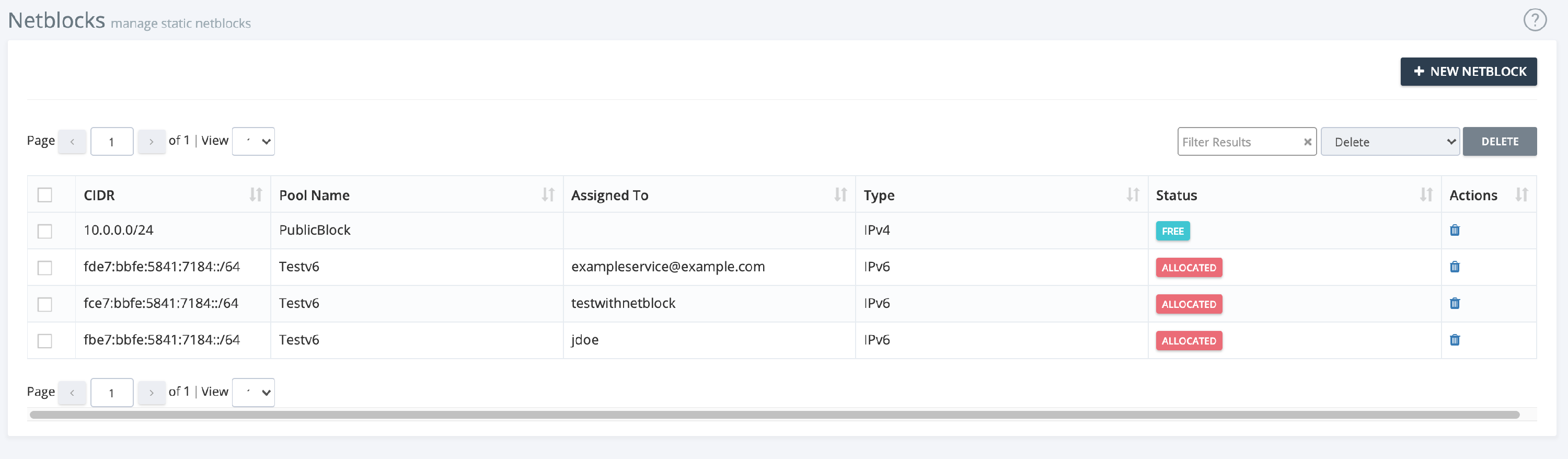
- View Netblocks: See all netblocks with details such as CIDR, pool name, assigned entity, type, and status.
- Actions: Use icons to delete or free netblocks. Select multiple netblocks for bulk actions.
Creating a New Netblock
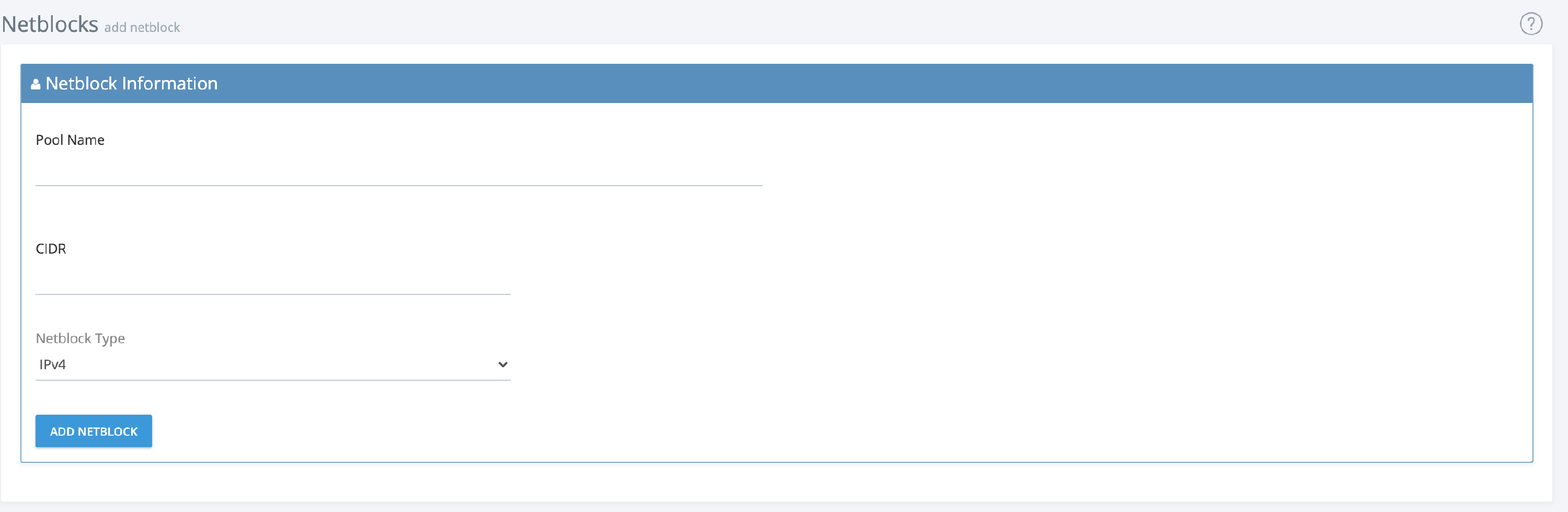
- Click + New Netblock
- Enter Details:
- Pool name (new or existing)
- CIDR notation
- Netblock type
- Save the Netblock: Click Add Netblock to finalize.
Best Practices
- Use descriptive names for pools and netblocks.
- Regularly review and free unused netblocks.
- Track assignments to avoid conflicts.
For further assistance, click the support button at the top right of this page.