Managing NAS Devices
NAS (Network Access Server) devices are critical for authenticating and managing user access in your ISP network. This section explains how to view, edit, and manage NAS devices in iBill.io.
How to Manage NAS Devices
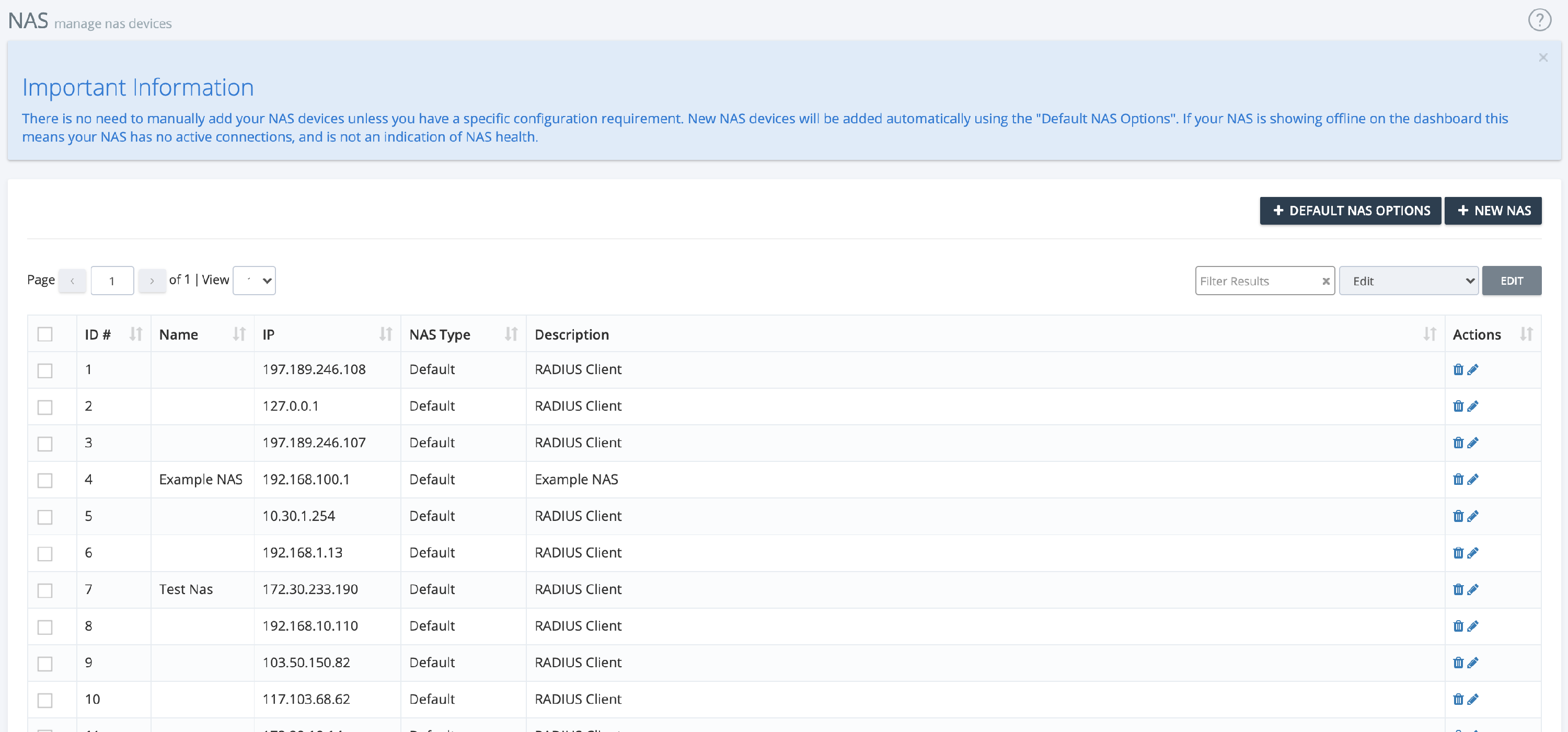
- View NAS Devices: See all devices with details such as ID, pool name, IP address, NAS type, and description.
- Actions: Use icons to edit or delete NAS devices.
Adding a New NAS
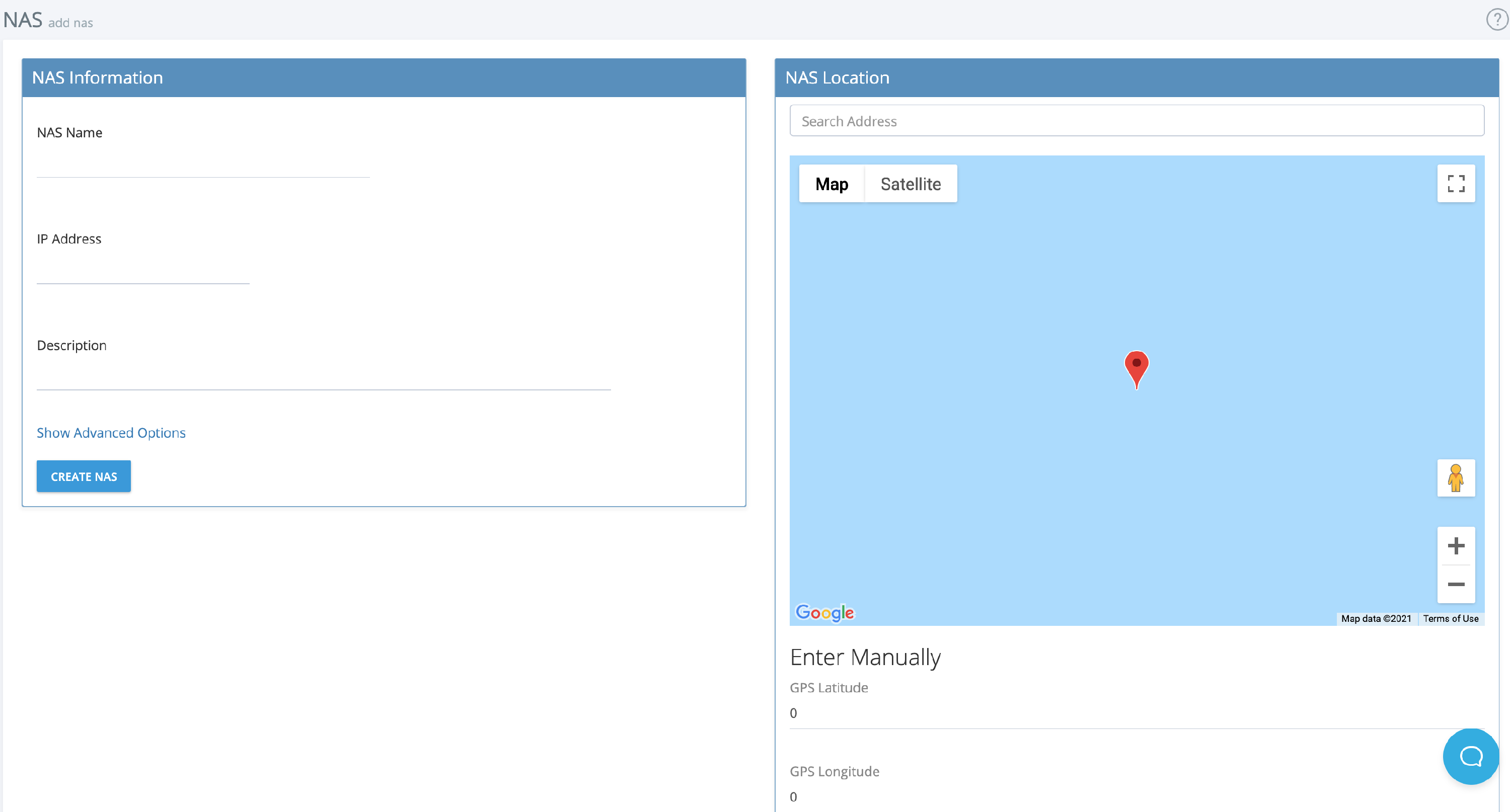
- Click + New NAS and enter the required information:
- NAS Name
- NAS IP Address
- Description
- Advanced Options: Configure POD/COA secrets, NAS type, walled garden products, and RADIUS AVP pairs as needed.
- Location: Set the physical location of the NAS device.
- Click Create NAS to save.
Best Practices
- Use clear, descriptive names for each NAS.
- Regularly review and update NAS device settings.
- Use advanced options for complex network setups.
For further assistance, click the support button at the top right of this page.