Managing Quotes
The Quotes section allows you to view, edit, filter, and manage all quotes in your iBill.io system. This is essential for tracking proposals, following up with customers, and converting quotes into invoices and services.
How to Manage Quotes
- View Quotes: See all quotes with details such as user ID, customer name, creation date, creator, amount, and status.
- Filter Quotes: Use the filter box to quickly find specific quotes.

- Bulk Actions: Select one or more quotes to delete, edit, mark as sent/unsent, accepted/declined, or create an invoice.
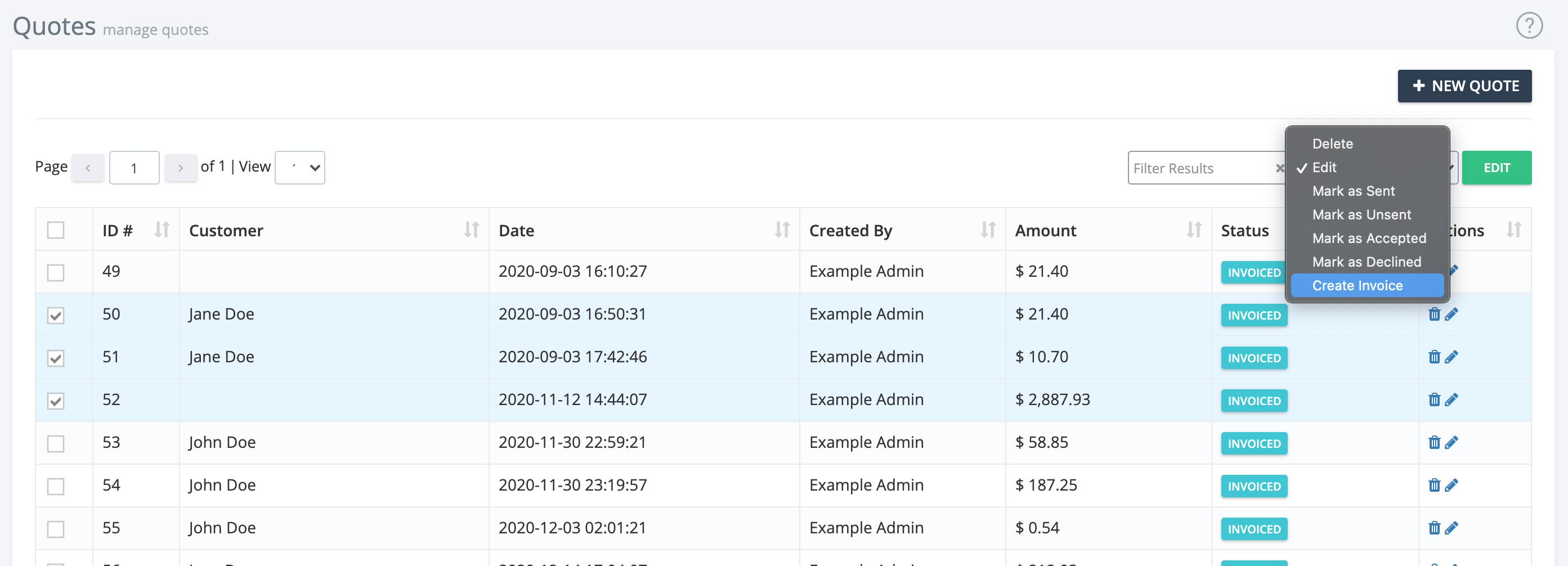
- Individual Actions: Use the icons to the right of each quote for quick actions.
Best Practices
- Regularly follow up on outstanding quotes to maximize conversions.
- Keep notes on customer requirements and quote changes.
- Archive or delete old quotes to keep your system organized.
For further assistance, click the support button at the top right of this page.