Creating a Static Netblock Product
Static Netblock Products allow you to allocate a range of static IP addresses (netblocks) to customers for advanced networking scenarios. This guide explains how to create a Static Netblock Product in iBill.io.
Step-by-Step: Creating a Static Netblock Product
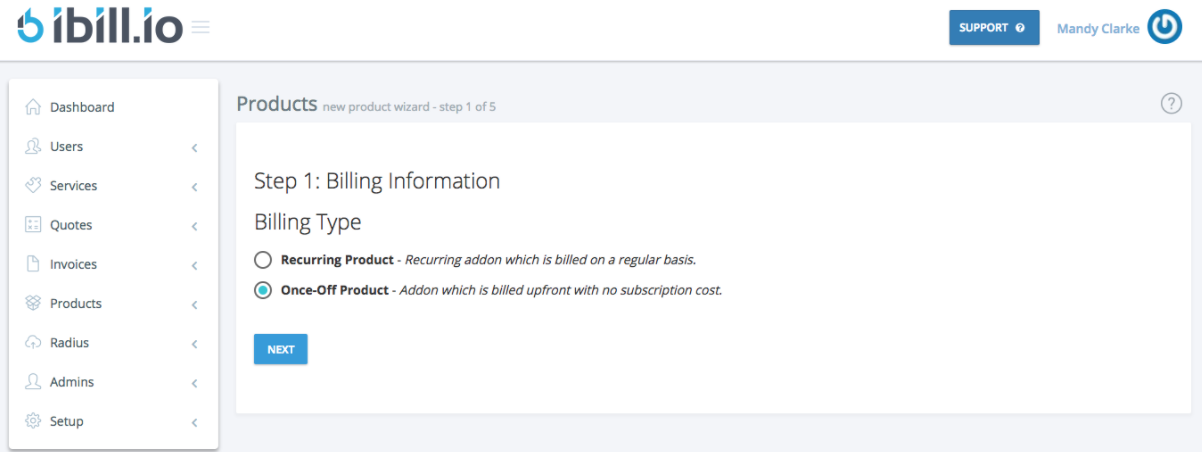
- Set Billing Information
- Choose once-off or recurring billing as needed.
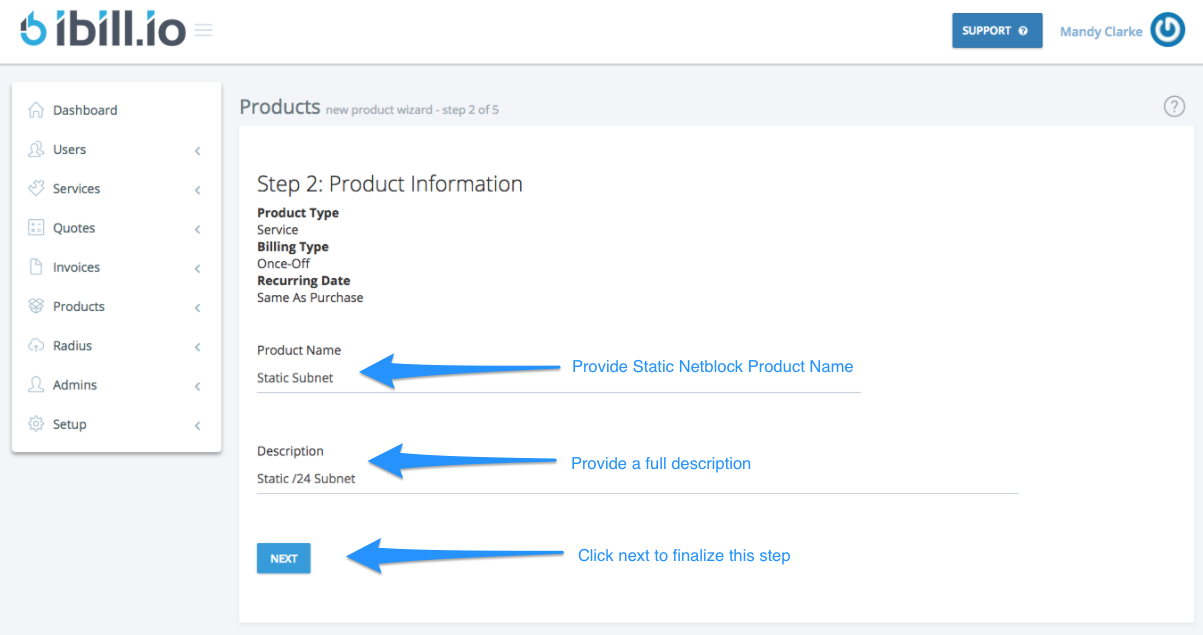
- Enter Product Information
- Name and describe the product.
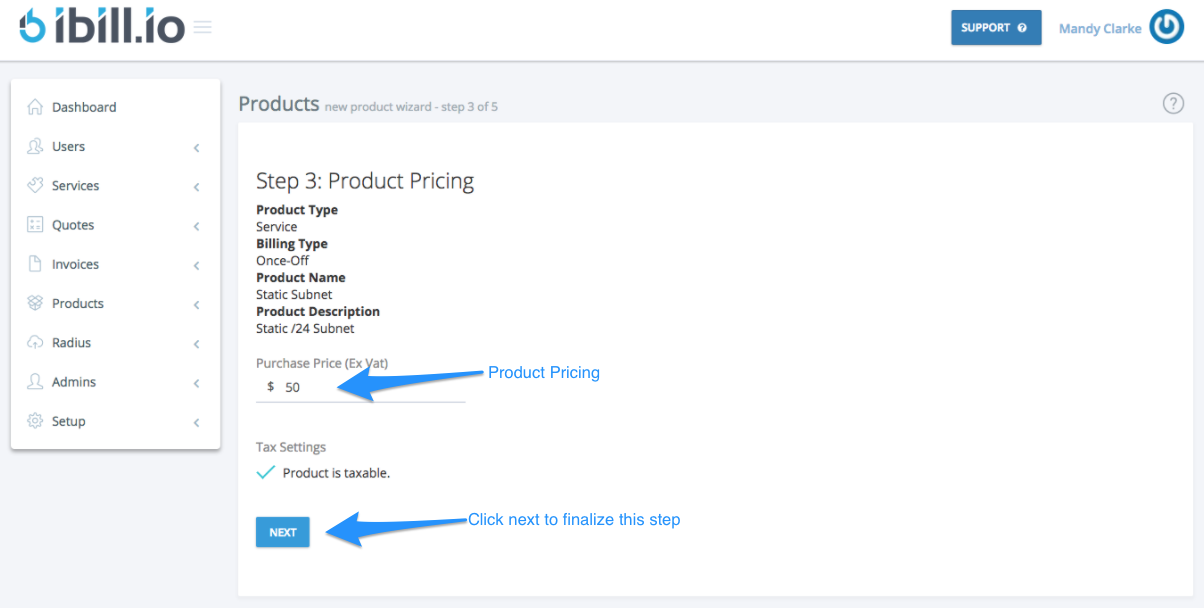
- Set Pricing
- Enter the one-time or recurring price.
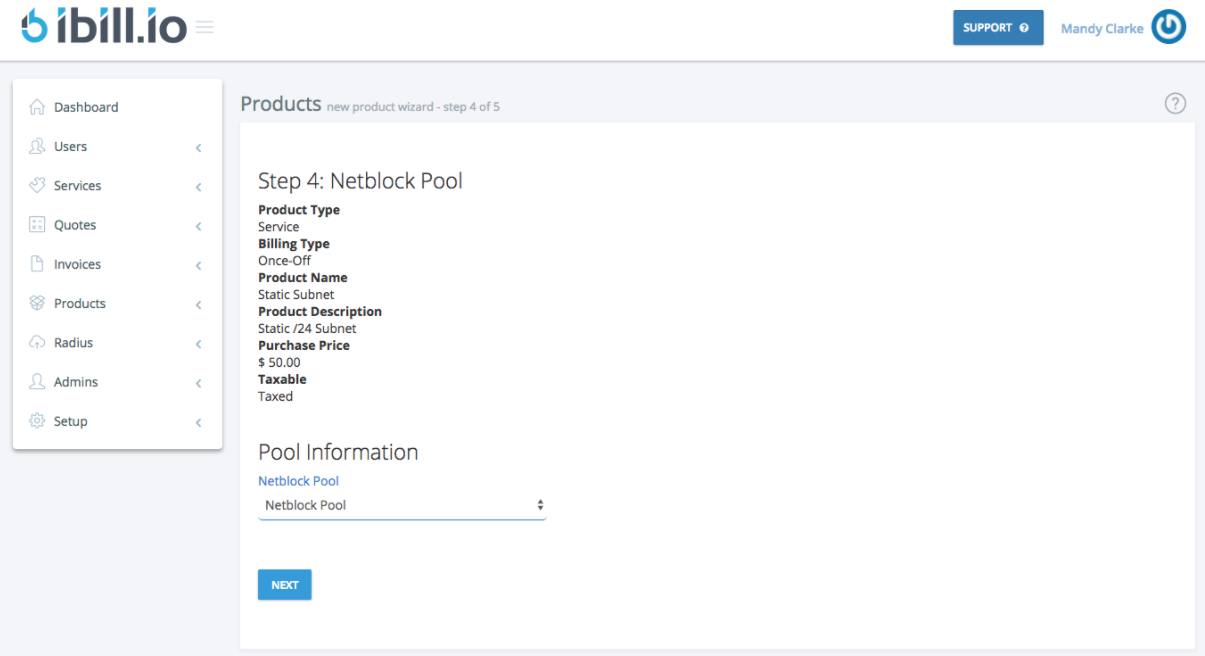
- Select Netblock Pool
- Choose the netblock pool for allocation.
- Review and Confirm
- Review all details and click Create Product to finalize.

For further assistance, click the support button at the top right of this page.