Creating a Generic Product
Generic Products are flexible, one-time items or services you can offer to customers (e.g., hardware, setup fees, or non-recurring services). This guide explains how to create a new Generic Product in iBill.io.
Step-by-Step: Creating a Generic Product
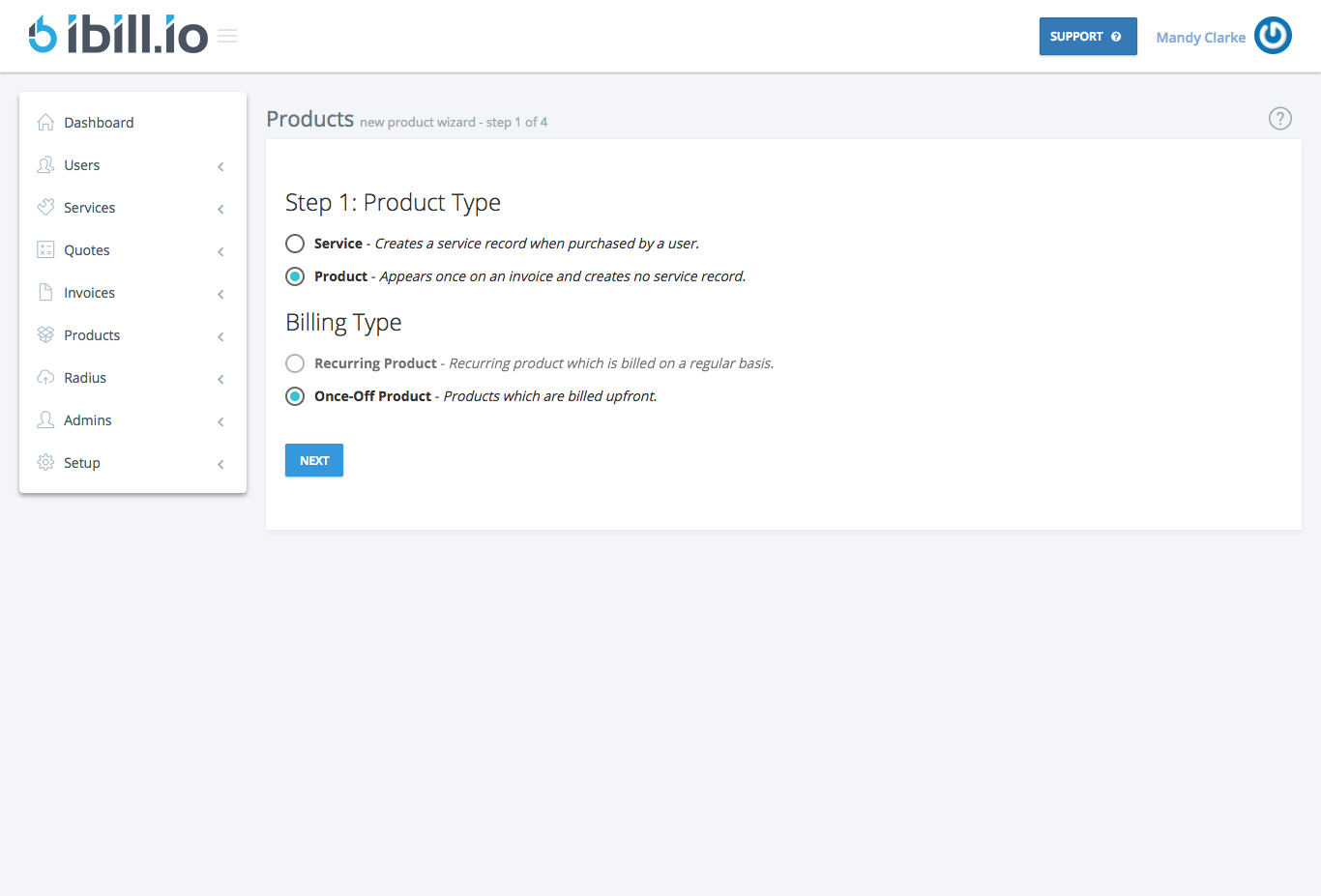
- Select Product Type
- Choose whether this is a service or a product. For most generic products, select 'Product' (one-time cost).
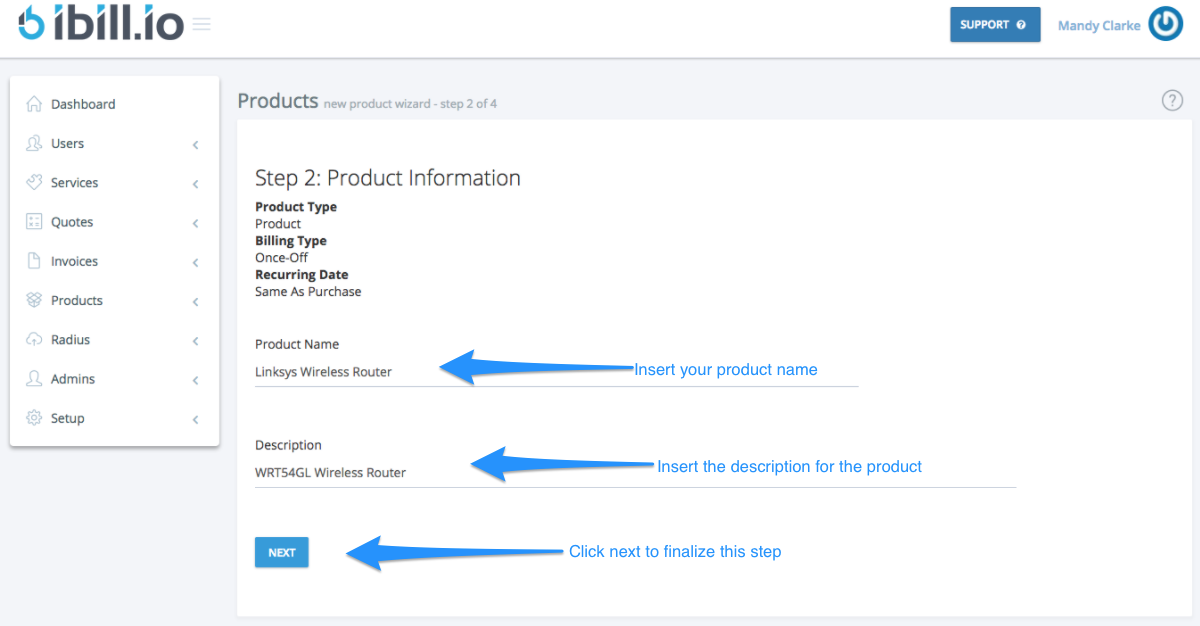
- Enter Product Information
- Name and describe the product.
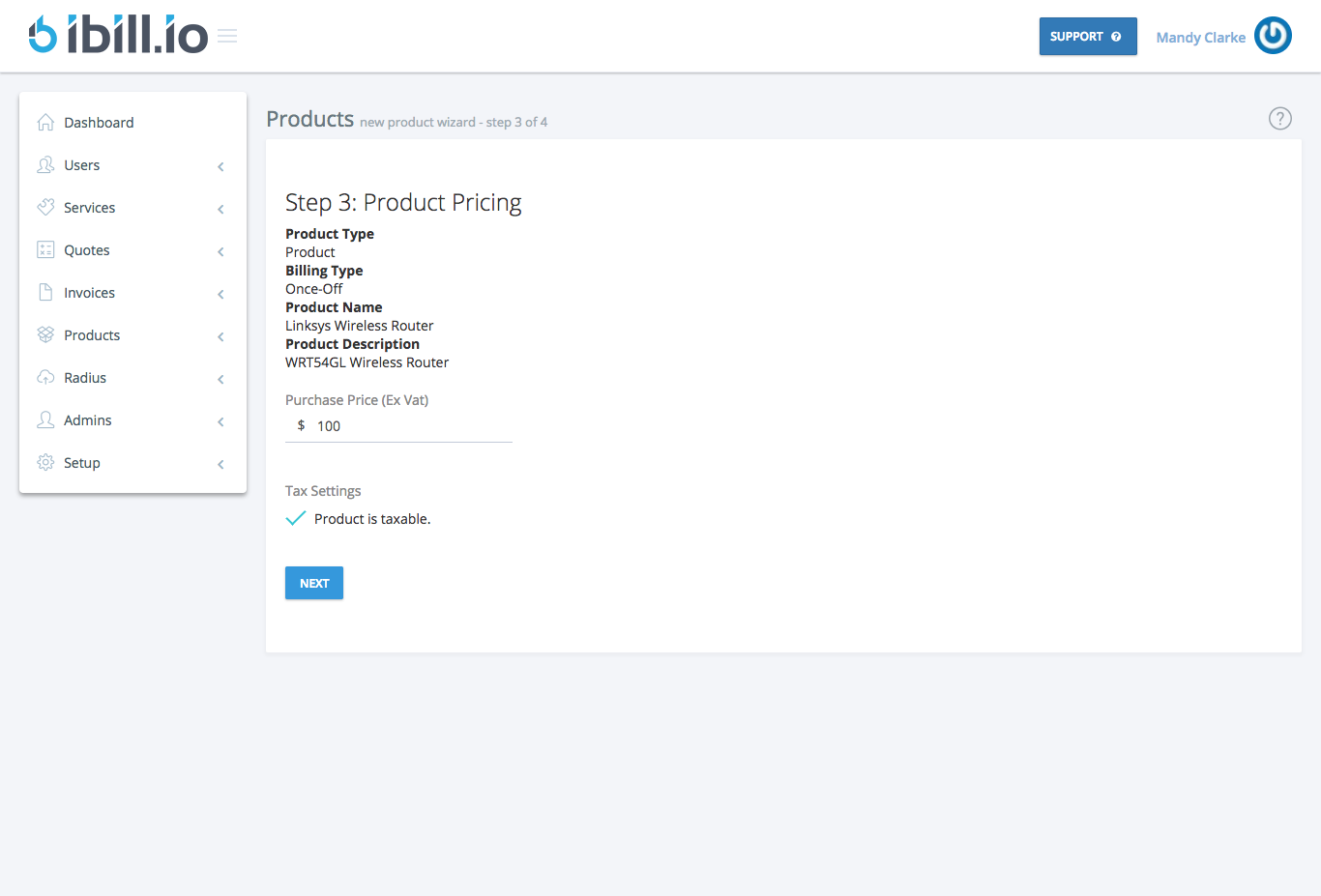
- Set Pricing
- Enter the one-time price (taxable if applicable).
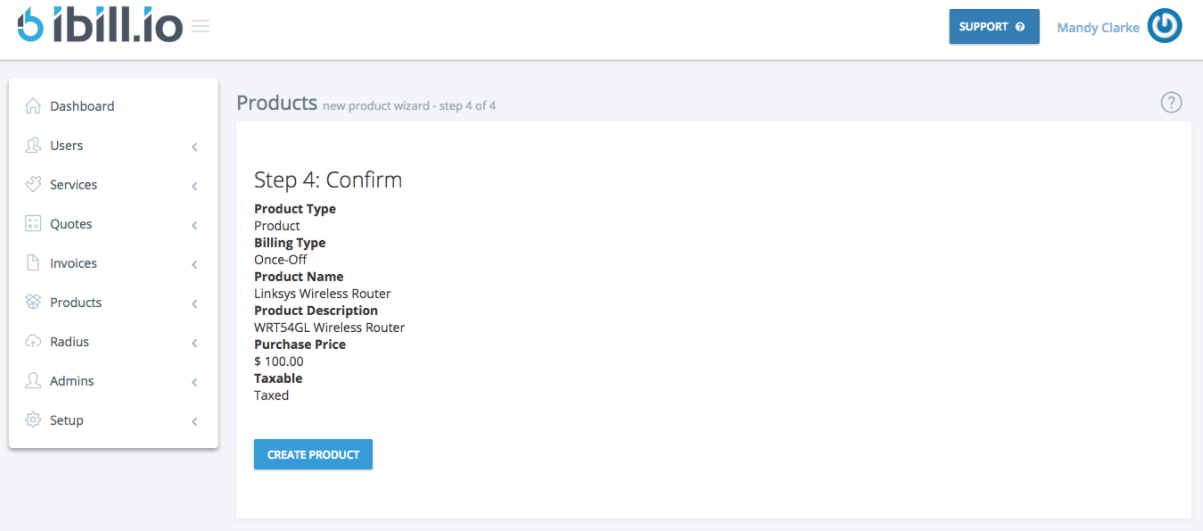
- Review and Confirm
- Check all details and click Create Product to finalize.
For further assistance, click the support button at the top right of this page.