Creating a Data Topup Product
Data Topup products allow your customers to purchase additional data when they reach their cap. This guide explains how to create a new Data Topup product in iBill.io.
Step-by-Step: Creating a Data Topup Product
- Enter Product Information
- Name and describe the topup product.
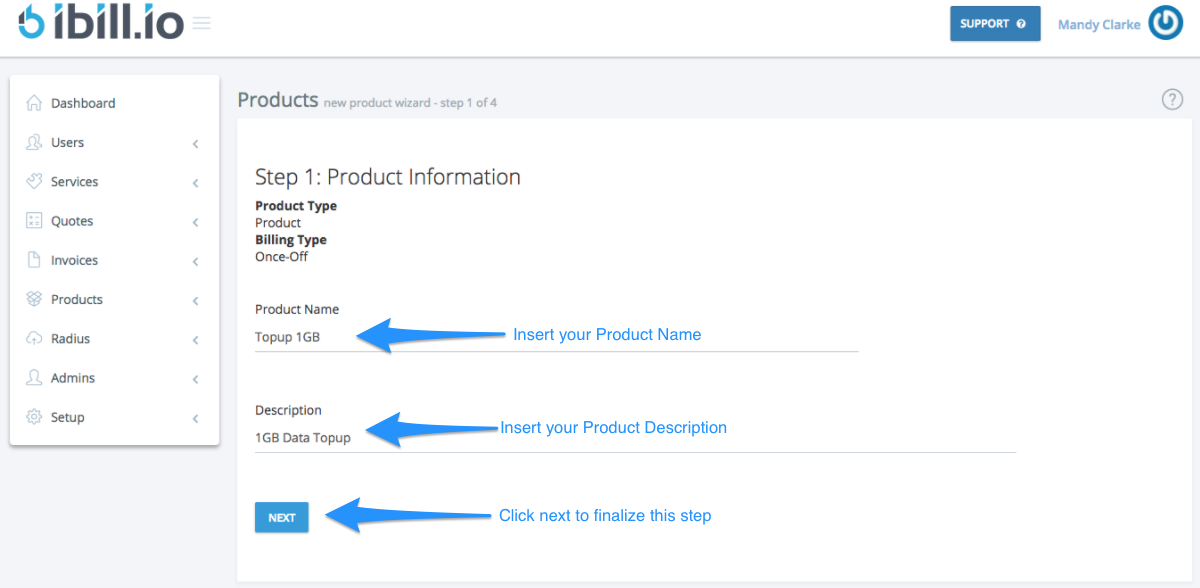
- Set Pricing
- Enter the once-off price for the topup.
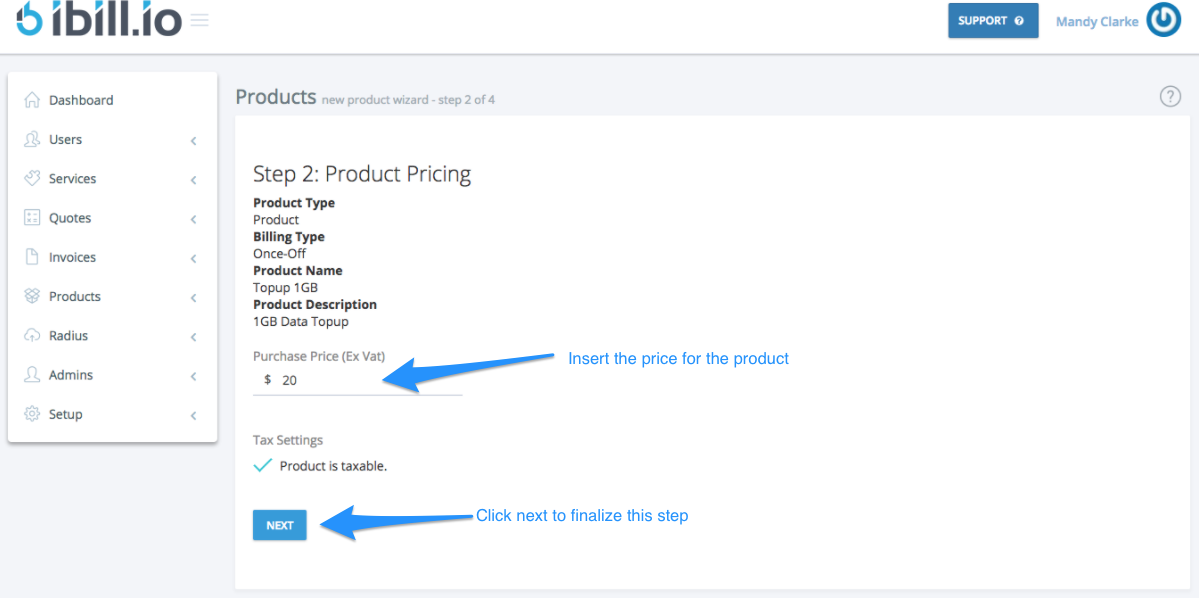
- Configure Topup Settings
- Set the data amount, validity period (e.g., 3 months from purchase), and whether it expires on next recharge or after a specific period.
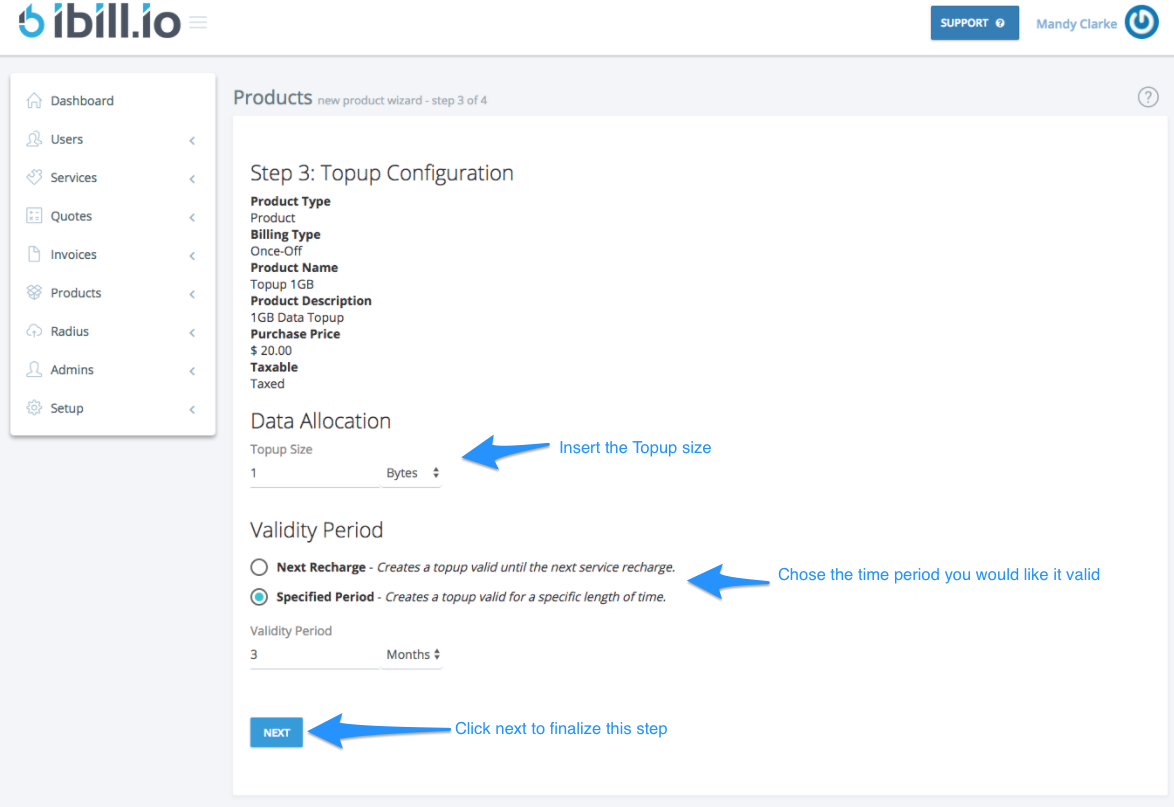
- Finalize and Save
- Review all details and create the product. You will be directed to the Manage Products page.
For further assistance, click the support button at the top right of this page.