Creating a Data Service Product
Data Service products are core offerings for ISPs, allowing you to define recurring or once-off internet access services for your customers. This guide walks you through the steps to create a new Data Service product in iBill.io.
Step-by-Step: Creating a Data Service
- Choose Billing Type
- Select whether the service is recurring (monthly, yearly, etc.) or once-off.
- For recurring, set the billing period and start date.
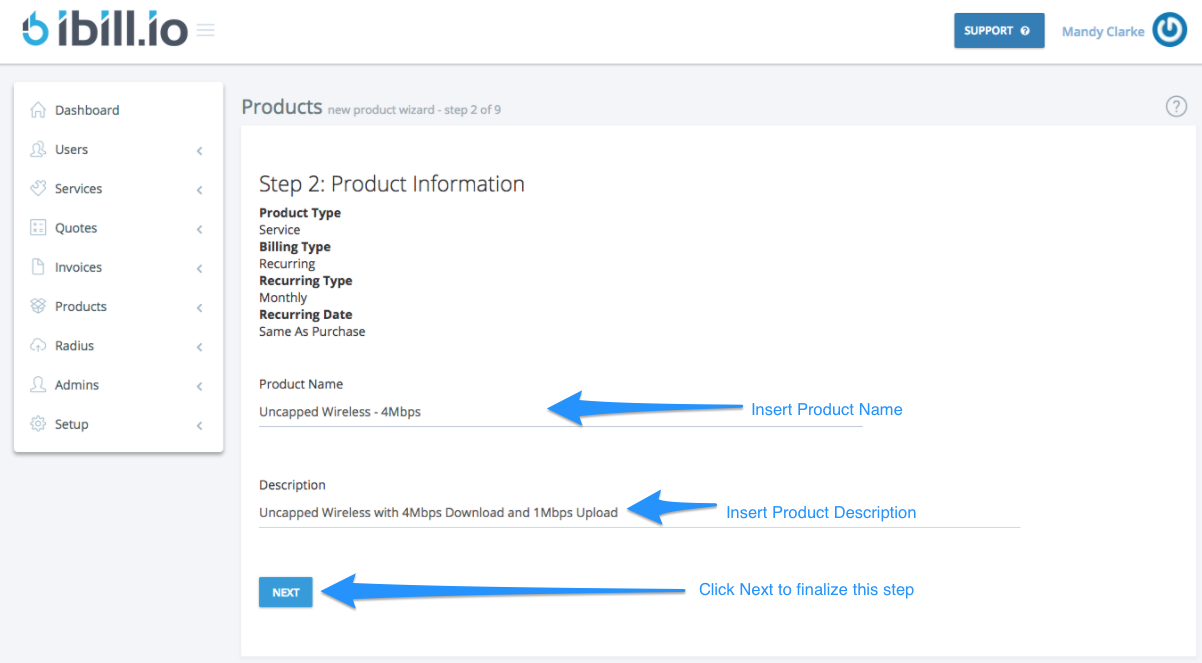
- Enter Product Information
- Name and describe the product for easy identification.
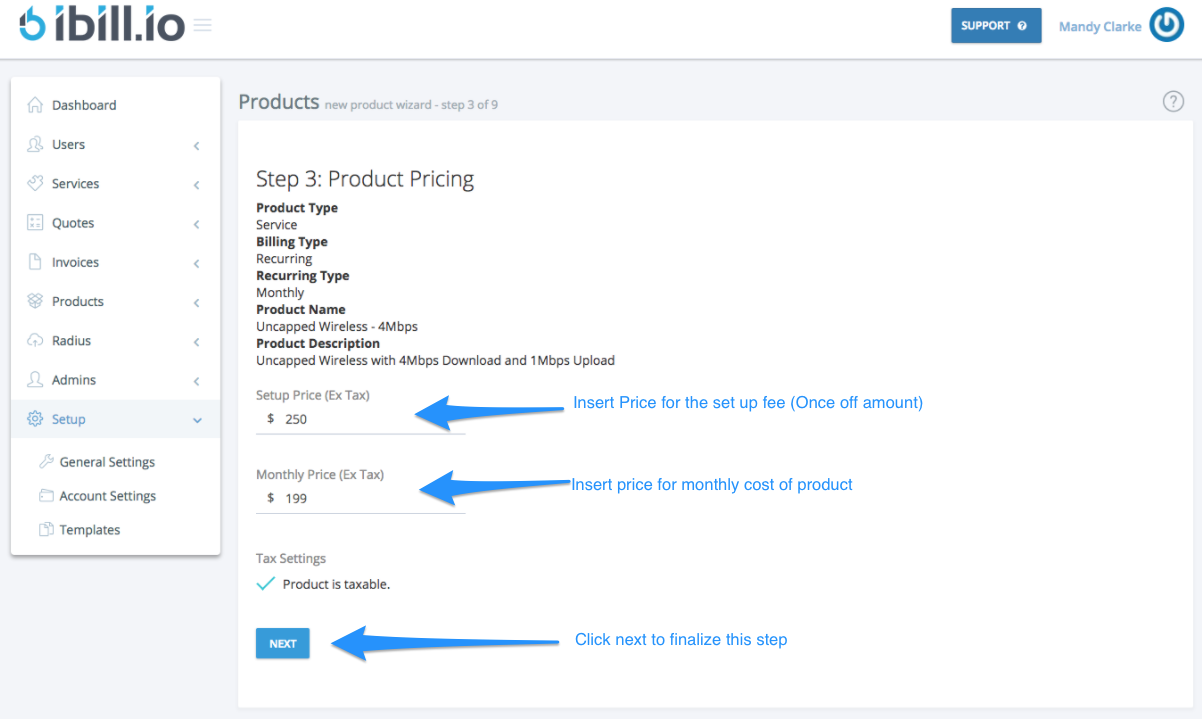
- Set Pricing
- Add a setup fee (if applicable) and the recurring monthly price (excluding tax).
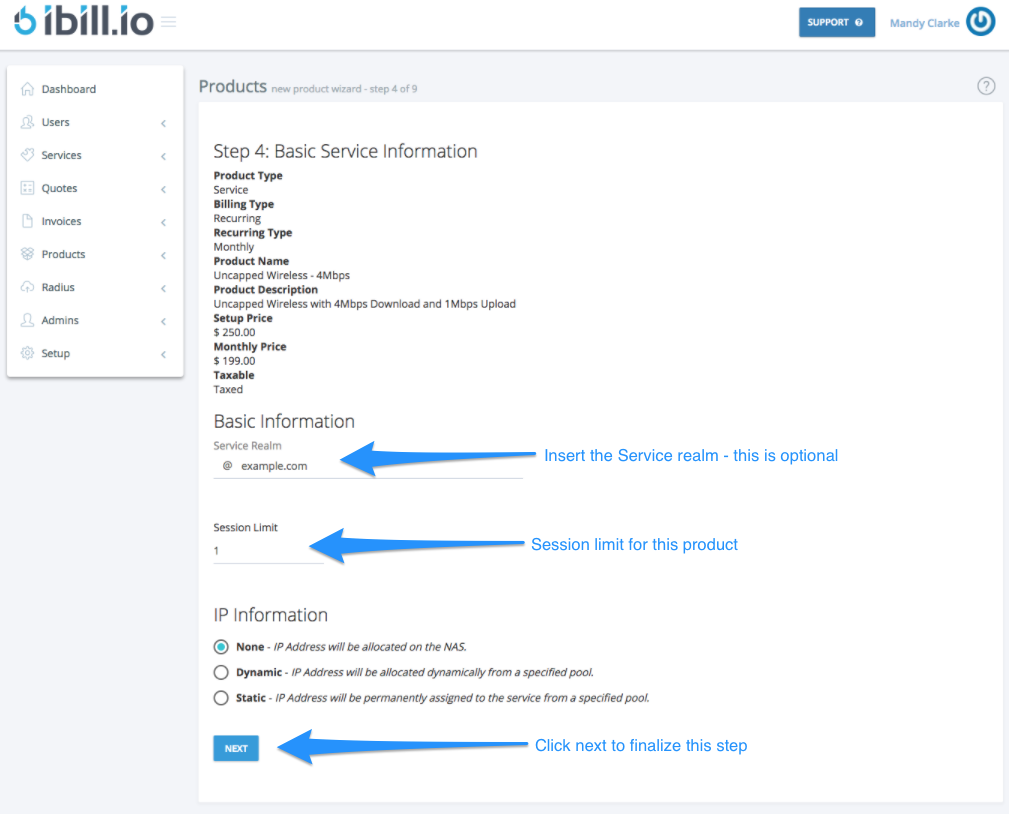
- Configure Service Details
- Optional: Add service realm details, session limits, and select IP information.
- Select Service Type
- Choose from capped or uncapped (basic/advanced) service types.
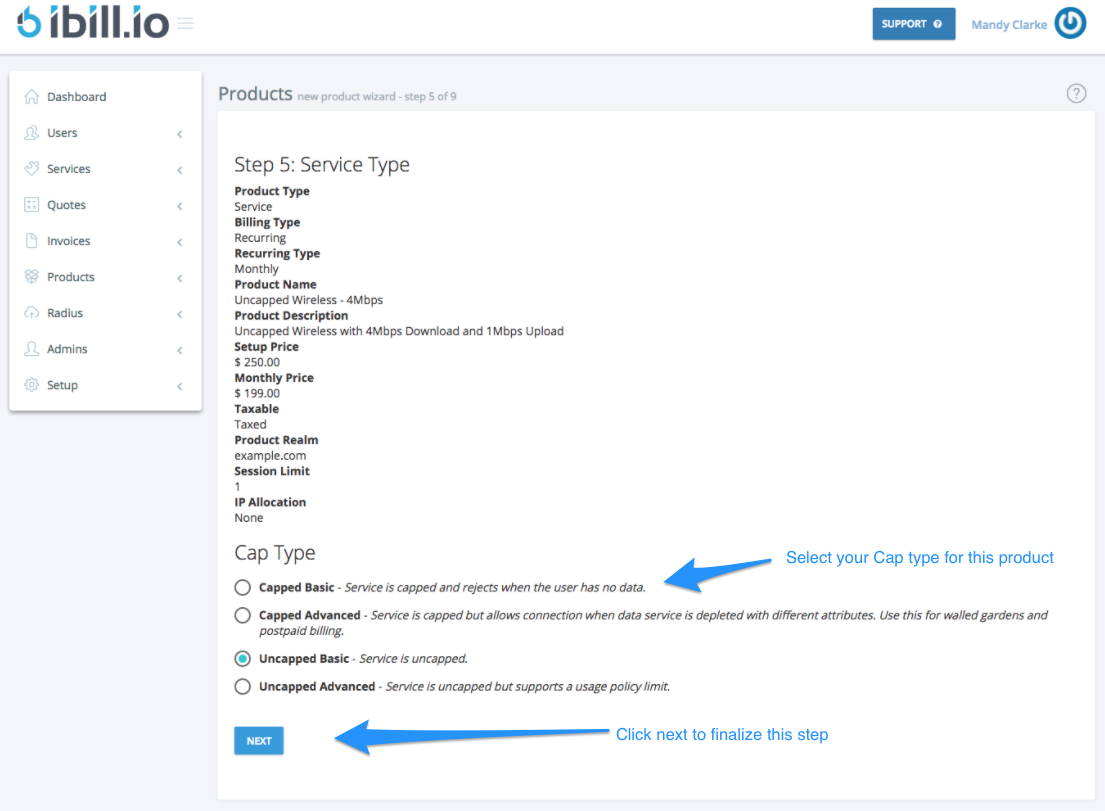
- Set Data Allocations (if capped)
- Define cap size, refresh period, and rollover options.

- Configure RADIUS Attributes
- Set upload/download speed and other advanced options (e.g., for Mikrotik NAS).

- Review and Confirm
- Check all details and click Create Product to finalize.

For further assistance, click the support button at the top right of this page.