Manage Transactions
This section allows you to manage all payment transactions in your iBill.io system, ensuring accurate billing and financial records.
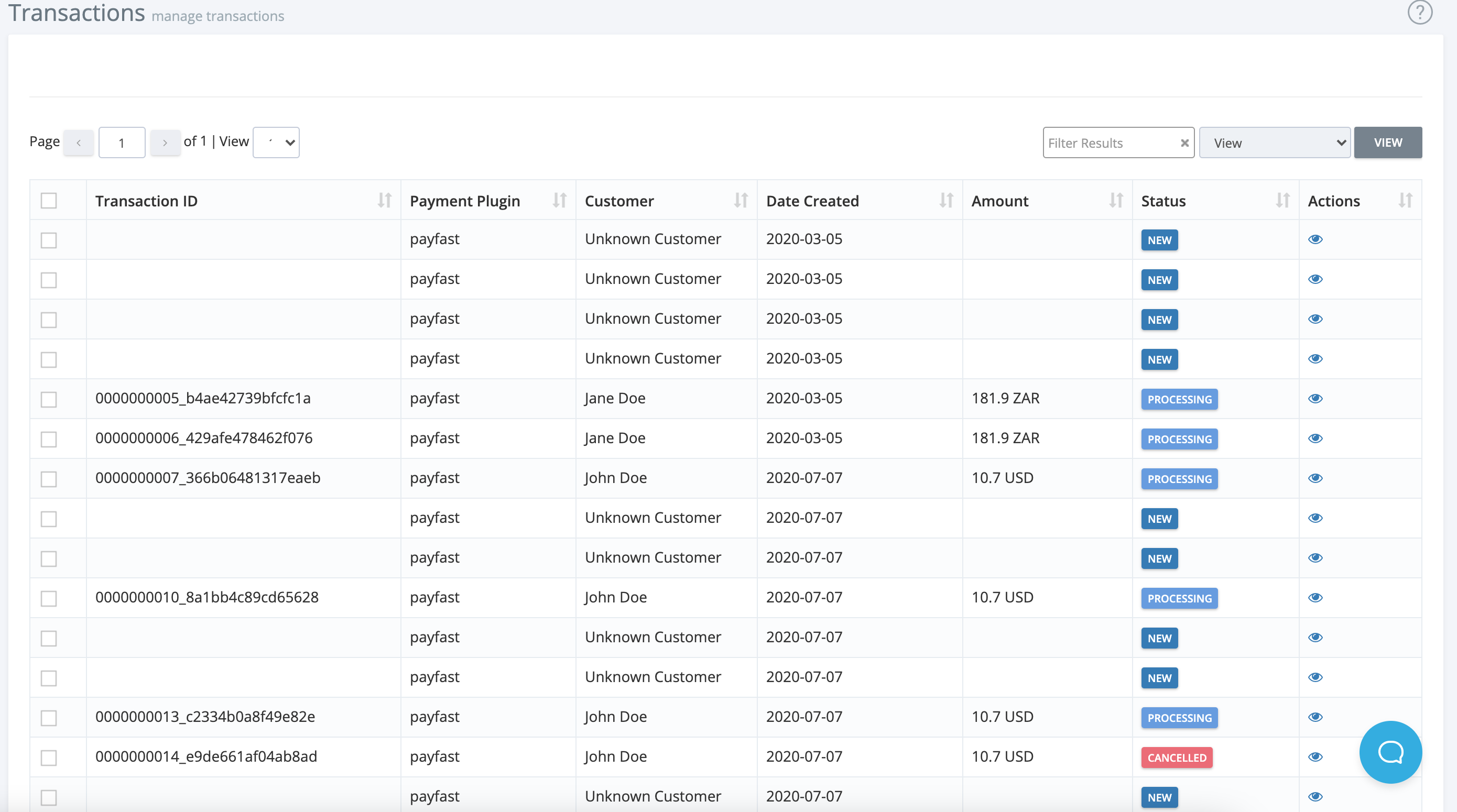
Transactions List Overview
- Transaction ID: Unique identifier for each transaction
- Payment Plugin (Gateway): The payment gateway used
- Customer: The customer who made the payment
- Date Created
- Amount
- Status
- Action: View transaction details
Viewing Transaction Details
Click on a transaction to view: - Payment Plugin (Gateway) - Customer ID - Date Created - Amount - Status
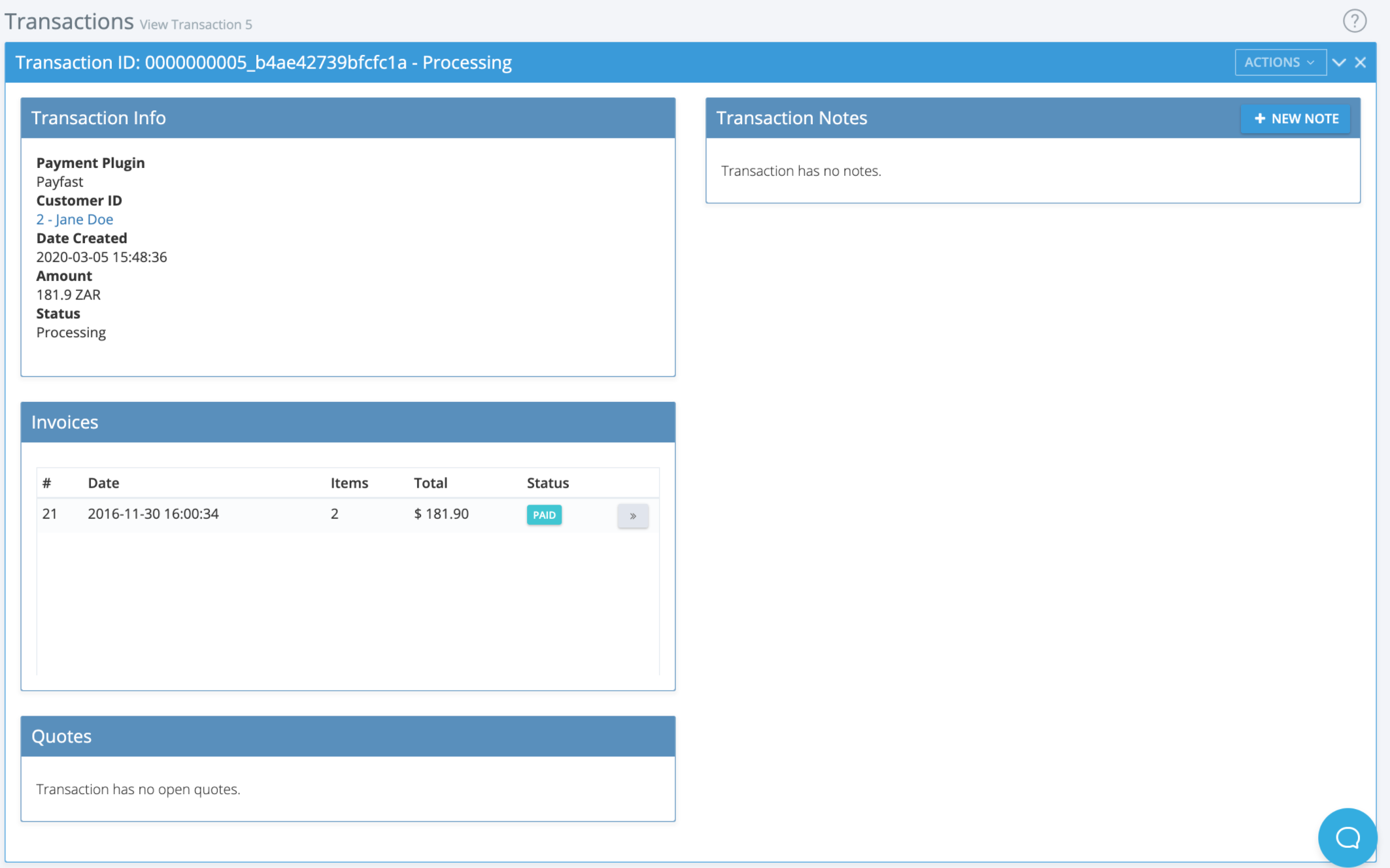
Invoices Linked to Transactions
- Click the arrows next to invoice information to view the related invoice.
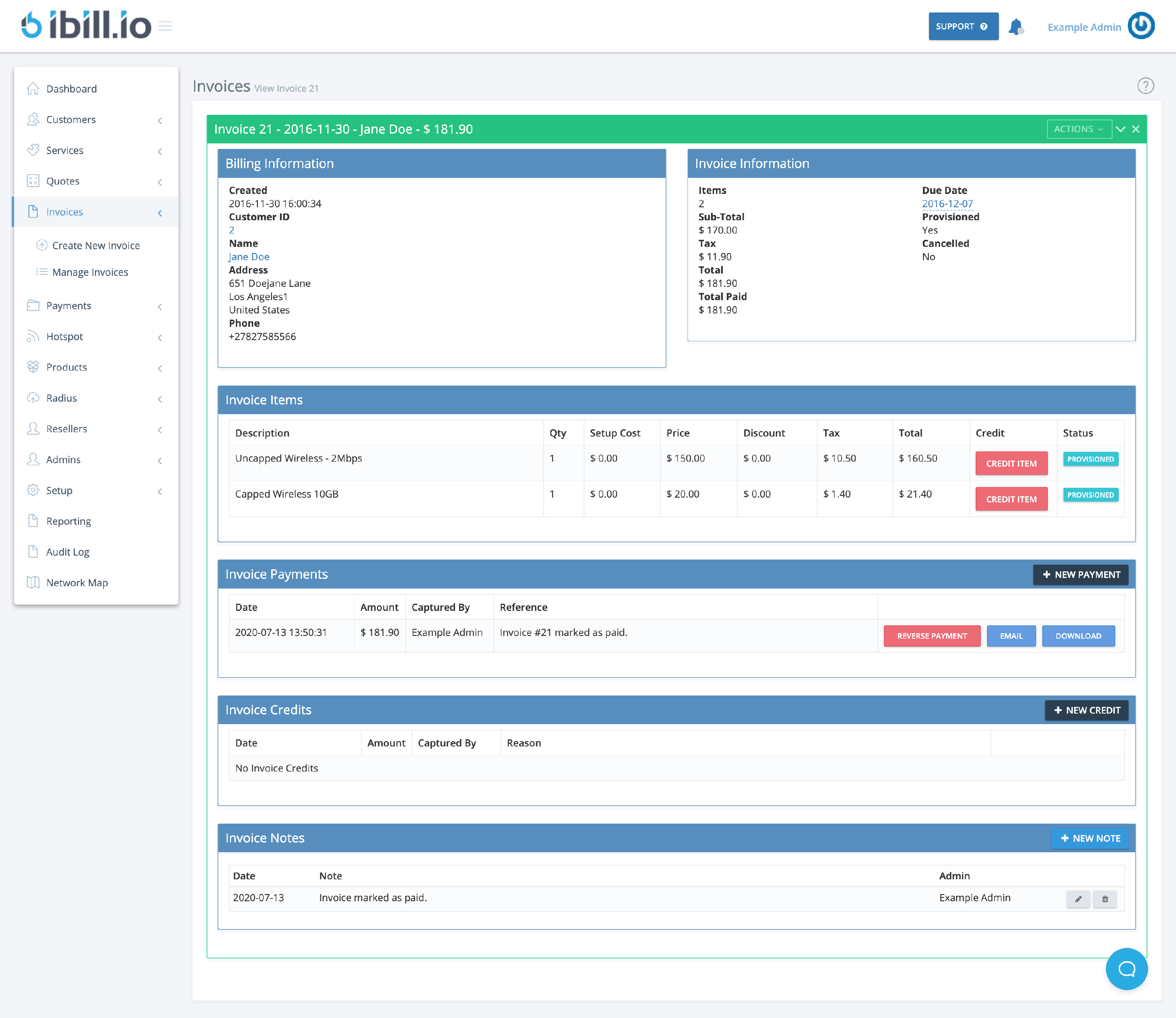
- From the invoice, you can:
- Credit items
- Reverse payments, email, or download invoice payments
- Add credits
- Add notes
Best Practices
- Reconcile transactions regularly
- Use references and notes for clear record-keeping
- Review reversed transactions for potential issues
If you need further assistance, click the support button at the top right of this page.