Manage Credits
Credits allow you to adjust customer balances for overpayments, refunds, or other billing scenarios. This section explains how to view, issue, and manage credits in iBill.io.
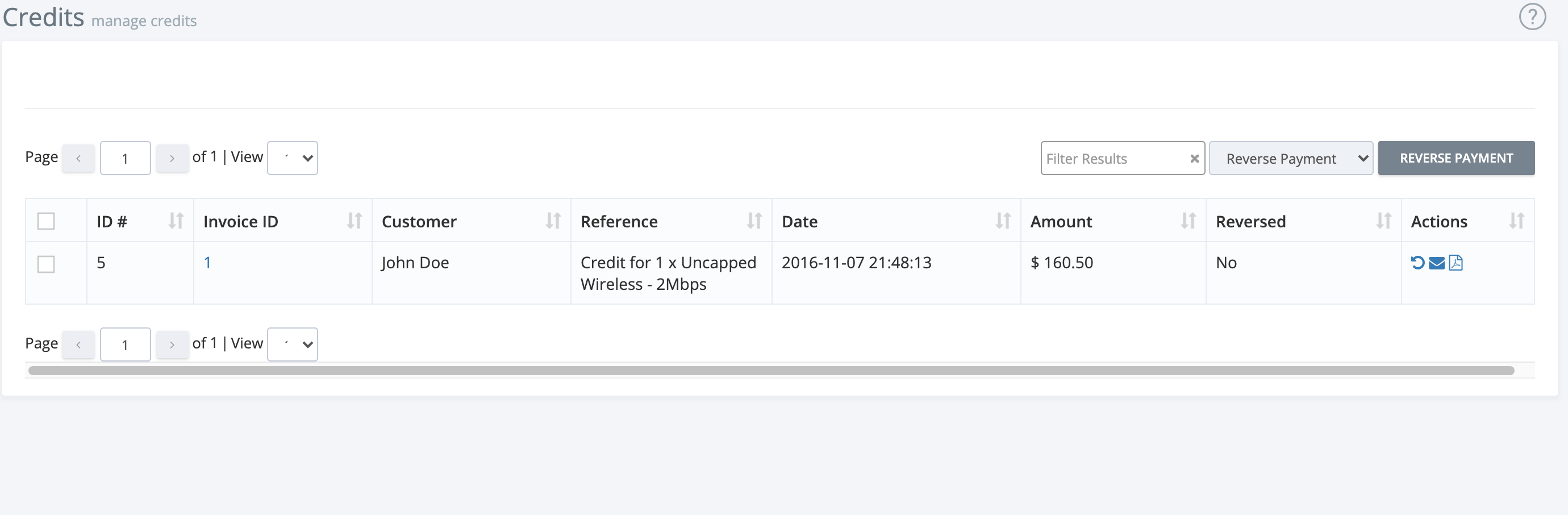
Credits List Overview
- ID: Unique credit identifier
- Invoice ID: Linked invoice (if applicable)
- Customer: The customer receiving the credit
- Reference: Description or reason for the credit
- Date of Credit
- Amount Paid
- Reversed: Indicates if the credit has been reversed
- Actions: Options to manage the credit
Credit Actions
- Reverse Credit: Undo a credit if issued in error
- Email Credit Receipt: Send a receipt to the customer
- Download Credit Receipt: Save a PDF copy for your records

Best Practices
- Issue credits promptly for overpayments or adjustments
- Keep detailed references for each credit
- Regularly review credits for accuracy
If you need further assistance, click the support button at the top right of this page.