Create New Invoice
Creating new invoices in iBill.io is a streamlined process that ensures accurate billing and record-keeping. Invoices are generated from quotes, allowing you to review and confirm all details before billing your customer.
How to Create a New Invoice
-
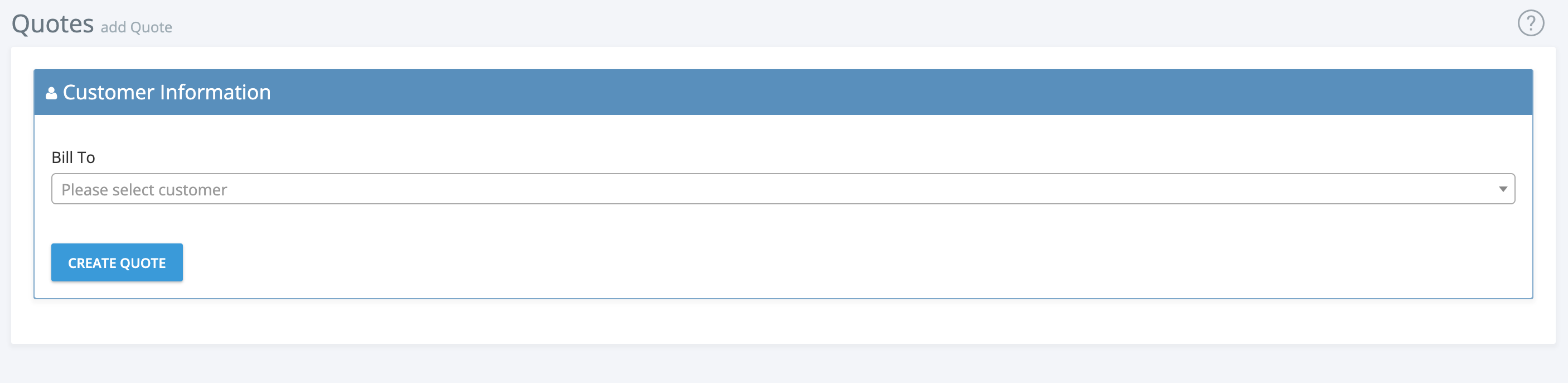
Create a Quote: Select the customer you want to bill and create a quote for their services or products.
-
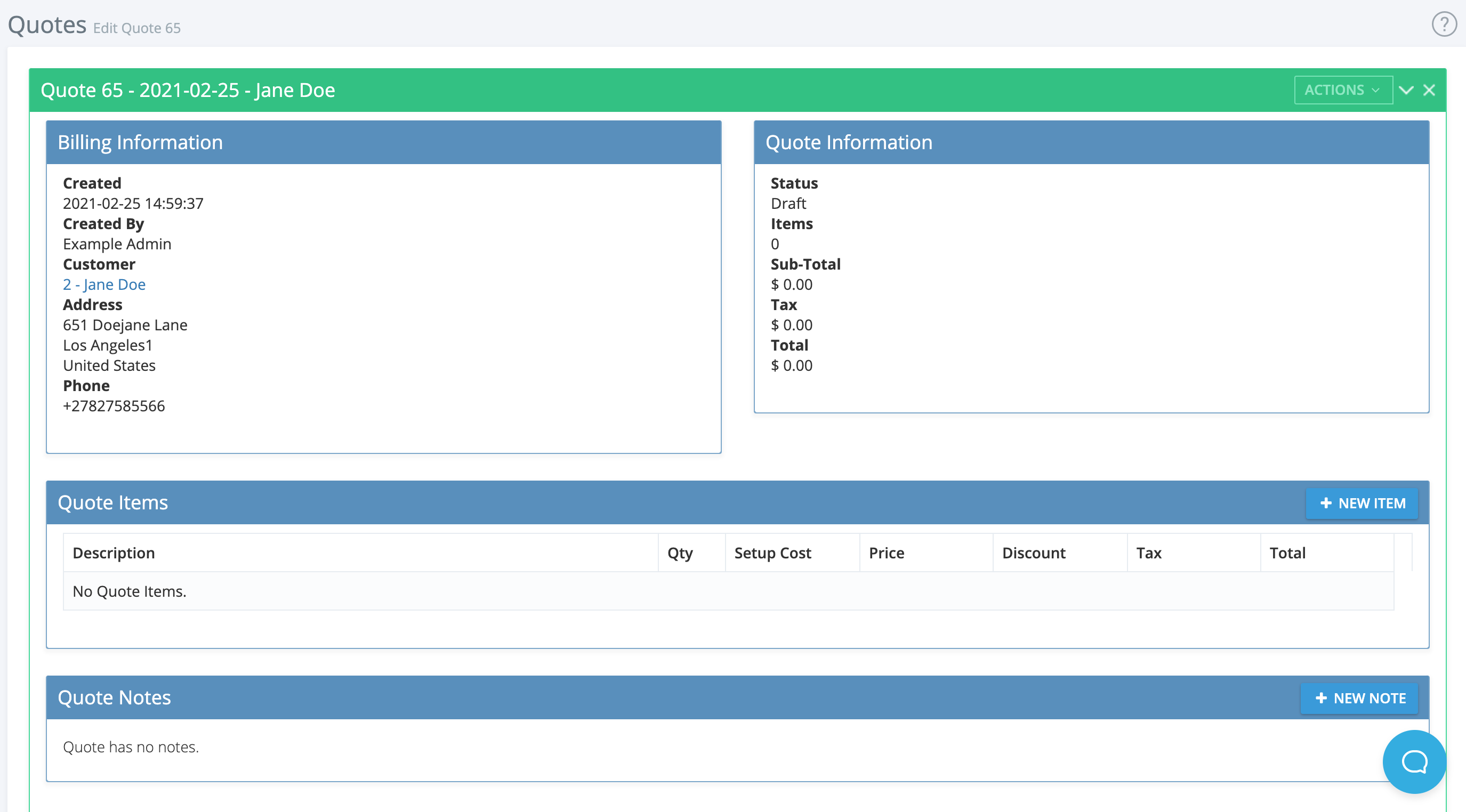
Review Billing Information: Check the quote details, including who created it, customer info, and contact details.
-
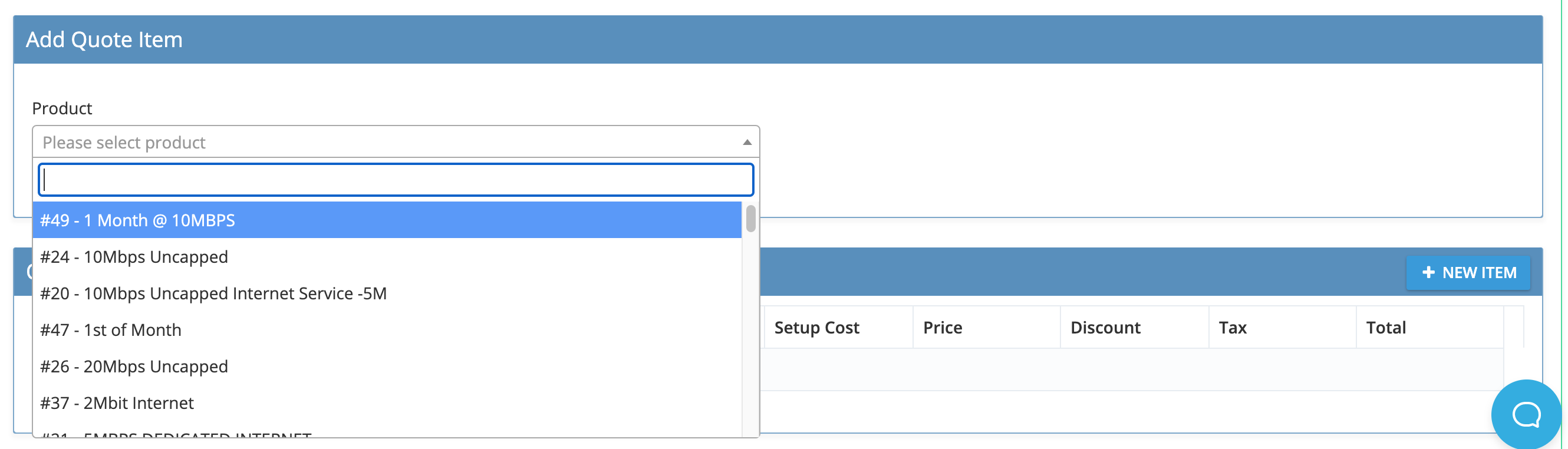
Add Quote Items: Use the dropdown to add products or services, then edit descriptions, prices, discounts, and service settings as needed.
-
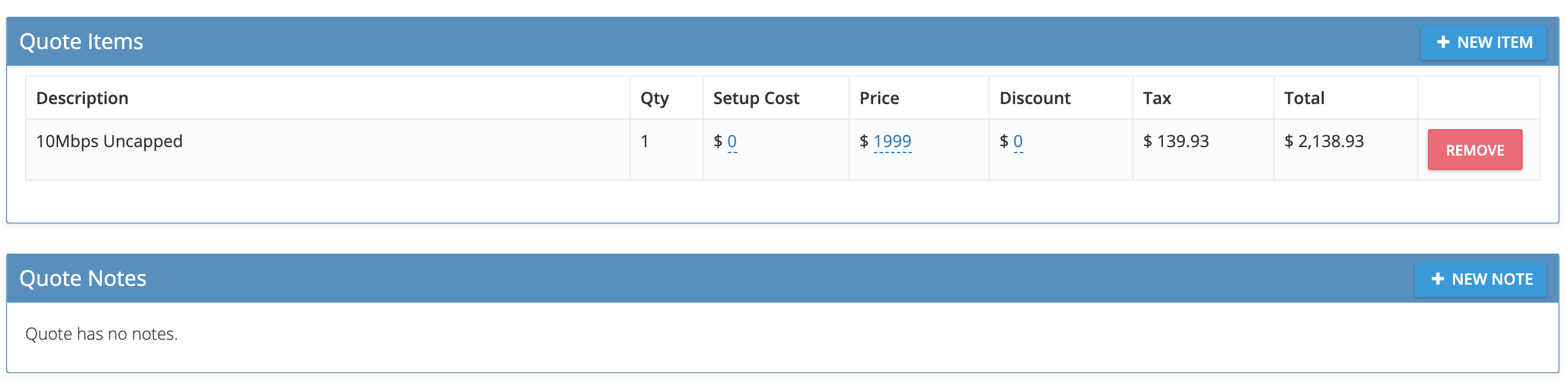
Review and Finalize Quote: Confirm all items, add notes, and review the quote summary.
-
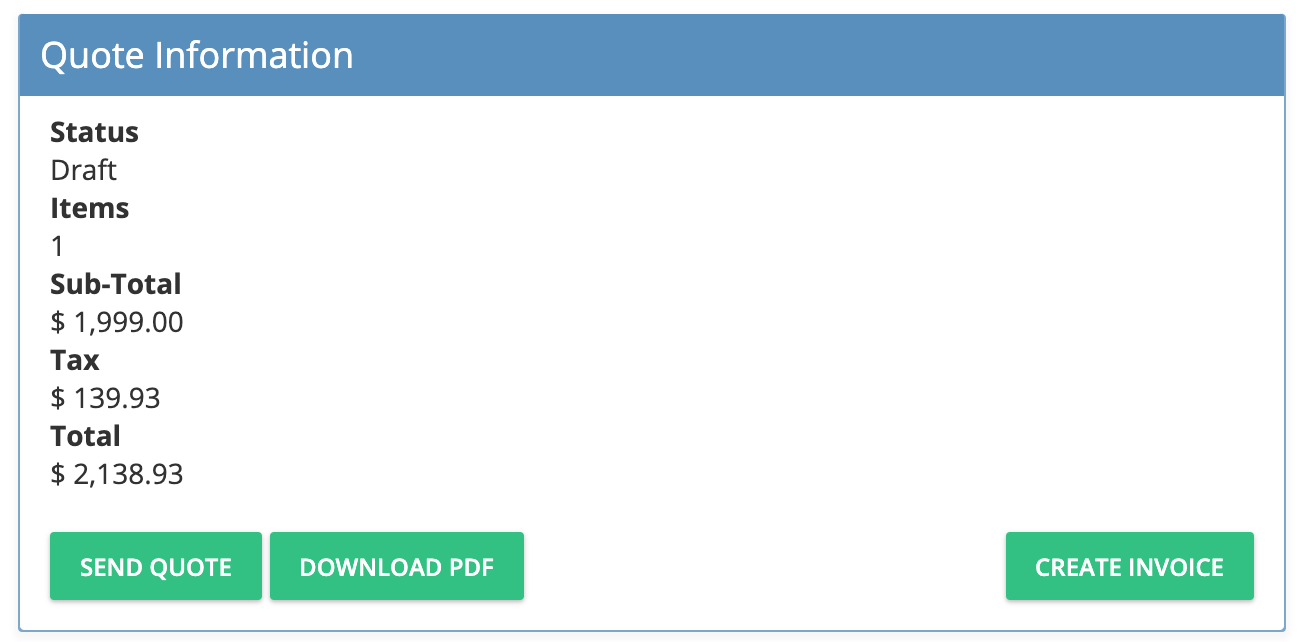
Send or Download Quote: Options include sending the quote, downloading as PDF, or proceeding to create an invoice.
-
Create Invoice: Click Create Invoice to generate the invoice from the quote. The invoice will be populated with all relevant details for review and processing.
If you need further assistance, click the support button at the top right of this page.