Managing Invoices
Managing invoices is a key part of your billing workflow in iBill.io. This section explains how to view, edit, and process invoices for your customers.
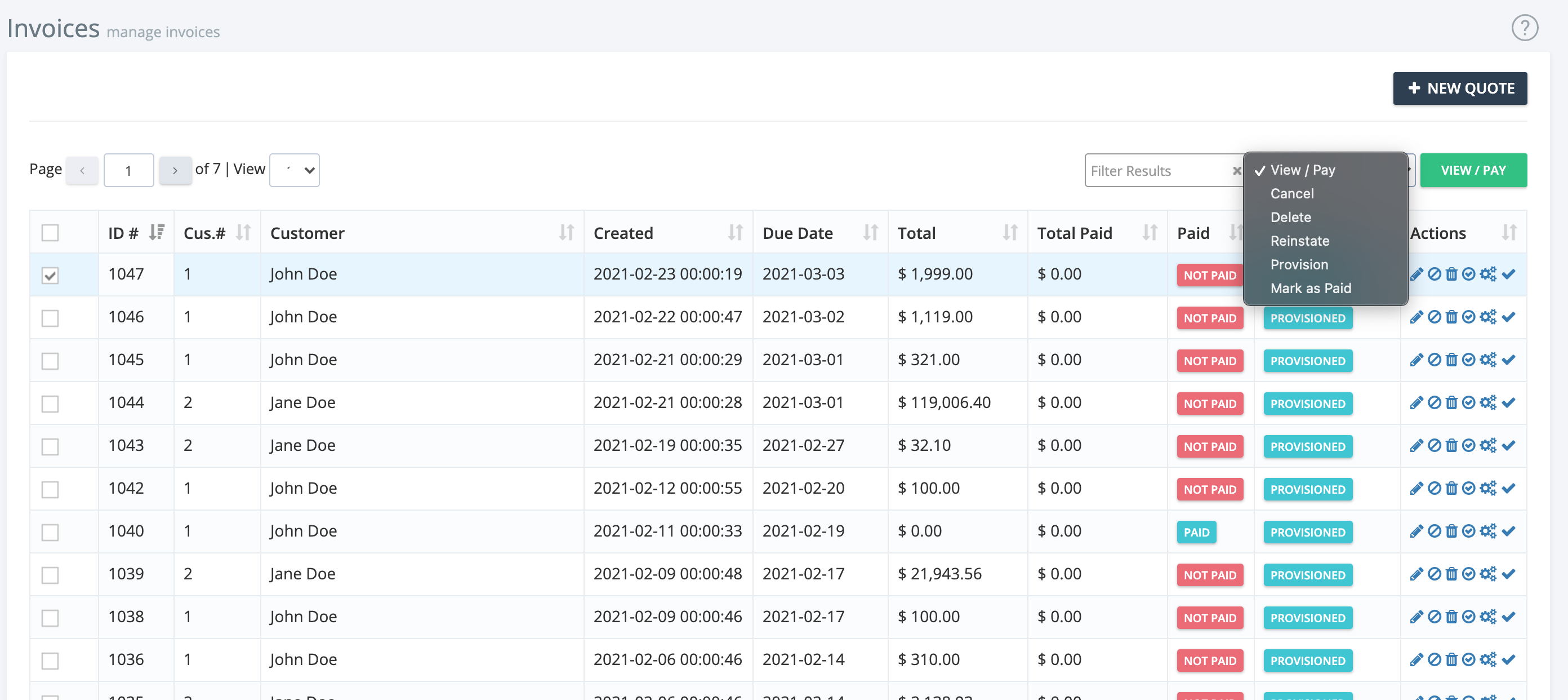
Invoice List Overview
- ID: Unique invoice identifier
- Customer Number
- Customer Name
- Created Date
- Due Date
- Total
- Total Paid
- Paid Status
- Provisioned Status

Invoice Actions
- Edit, Disable, Delete, Enable, Provision, Mark as Paid: Use the icons to the right of each invoice for quick actions.
- Bulk Actions: Select multiple invoices using the checkboxes to edit, enable, disable, or delete in bulk.
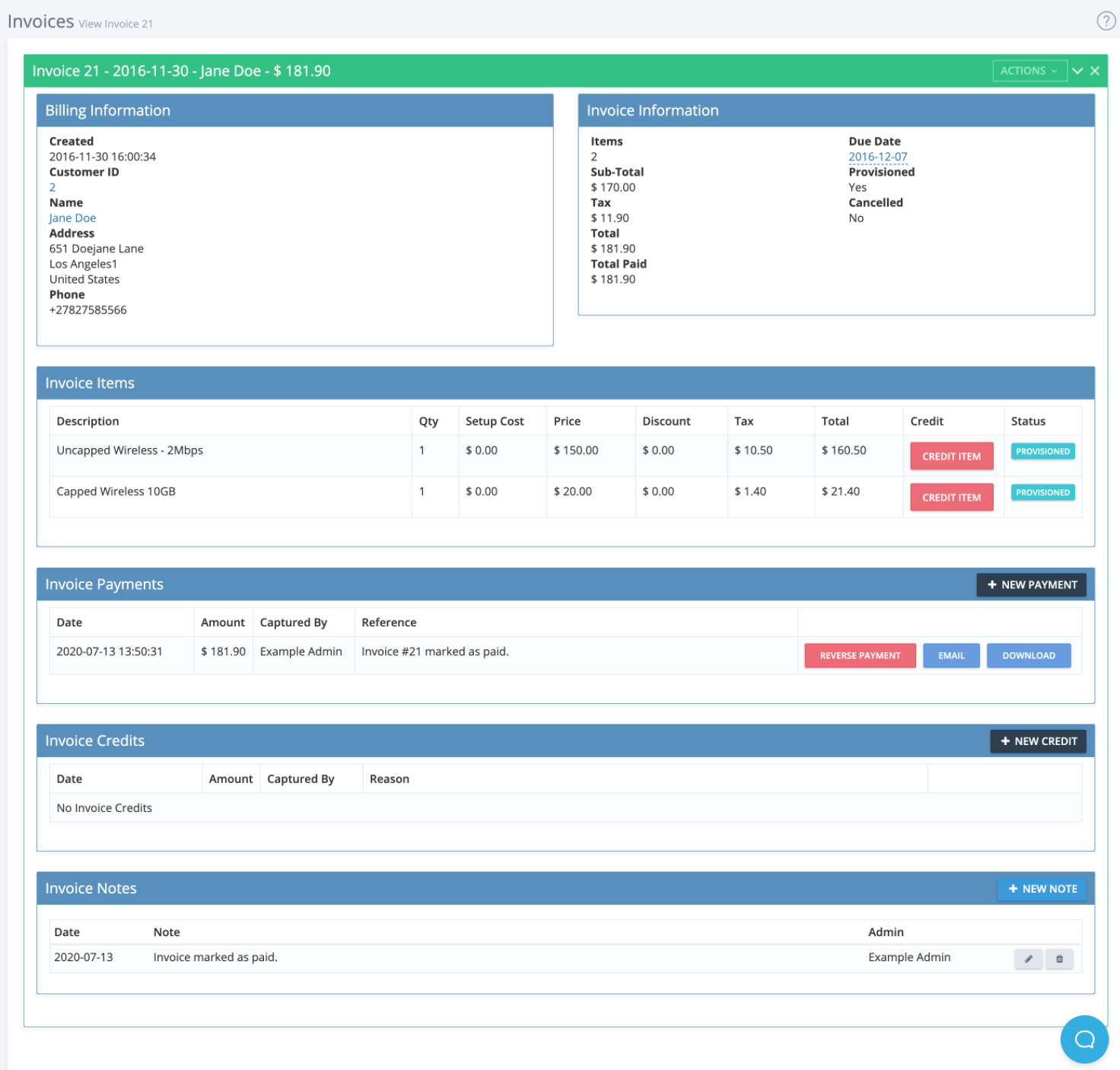
Viewing and Editing Invoices
- Credit Items
- Reverse Payments, Email, or Download Invoice Payments
- Add Credits
- Add Notes
If you need further assistance, click the support button at the top right of this page.