Manage Customers
Managing your customers is central to your business operations. This section allows you to view, edit, communicate with, and organize your customers efficiently within iBill.io.
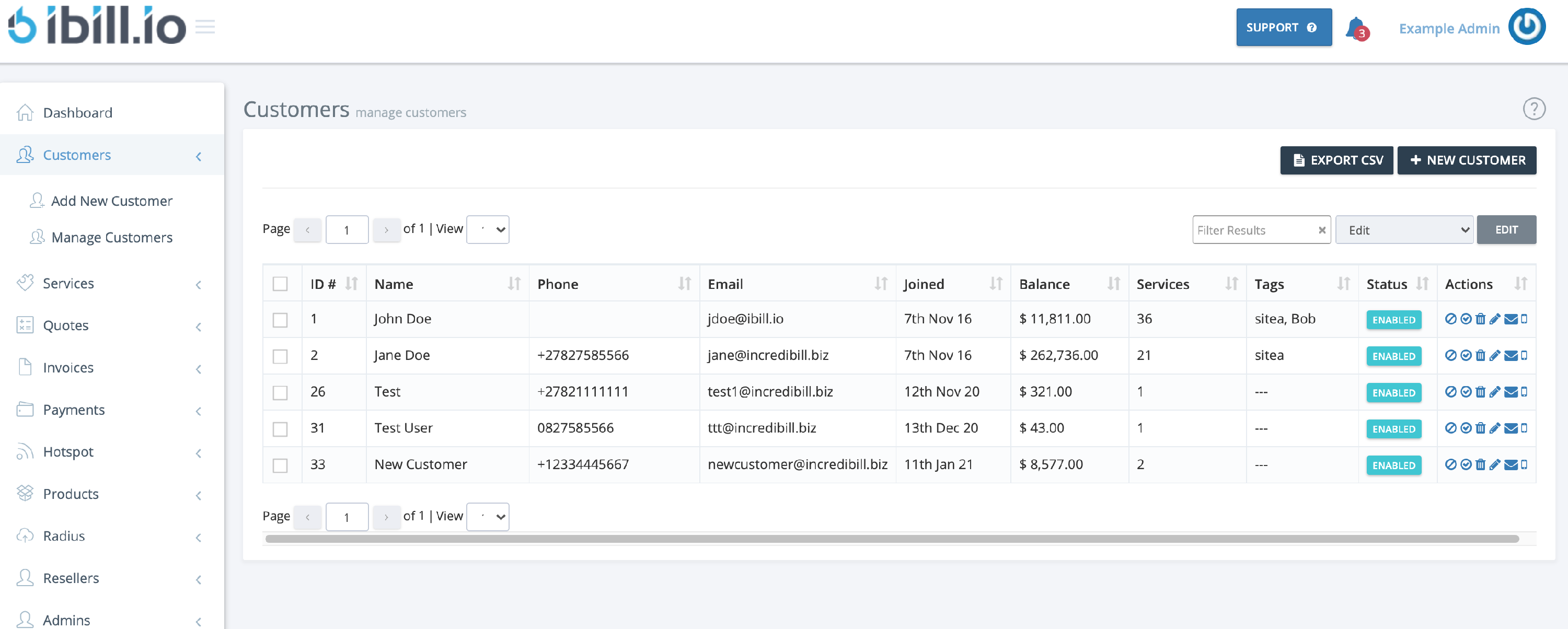
Customer List Overview
- Customer ID
- Name
- Phone Number
- Email Address
- Date Joined
- Balance
- Services
- Tags
- Status
Filtering and Bulk Actions
- Use the filter box in the top right to quickly find customers.
- Select multiple customers to enable, disable, delete, edit, or send emails/texts in bulk.
Editing Customer Details
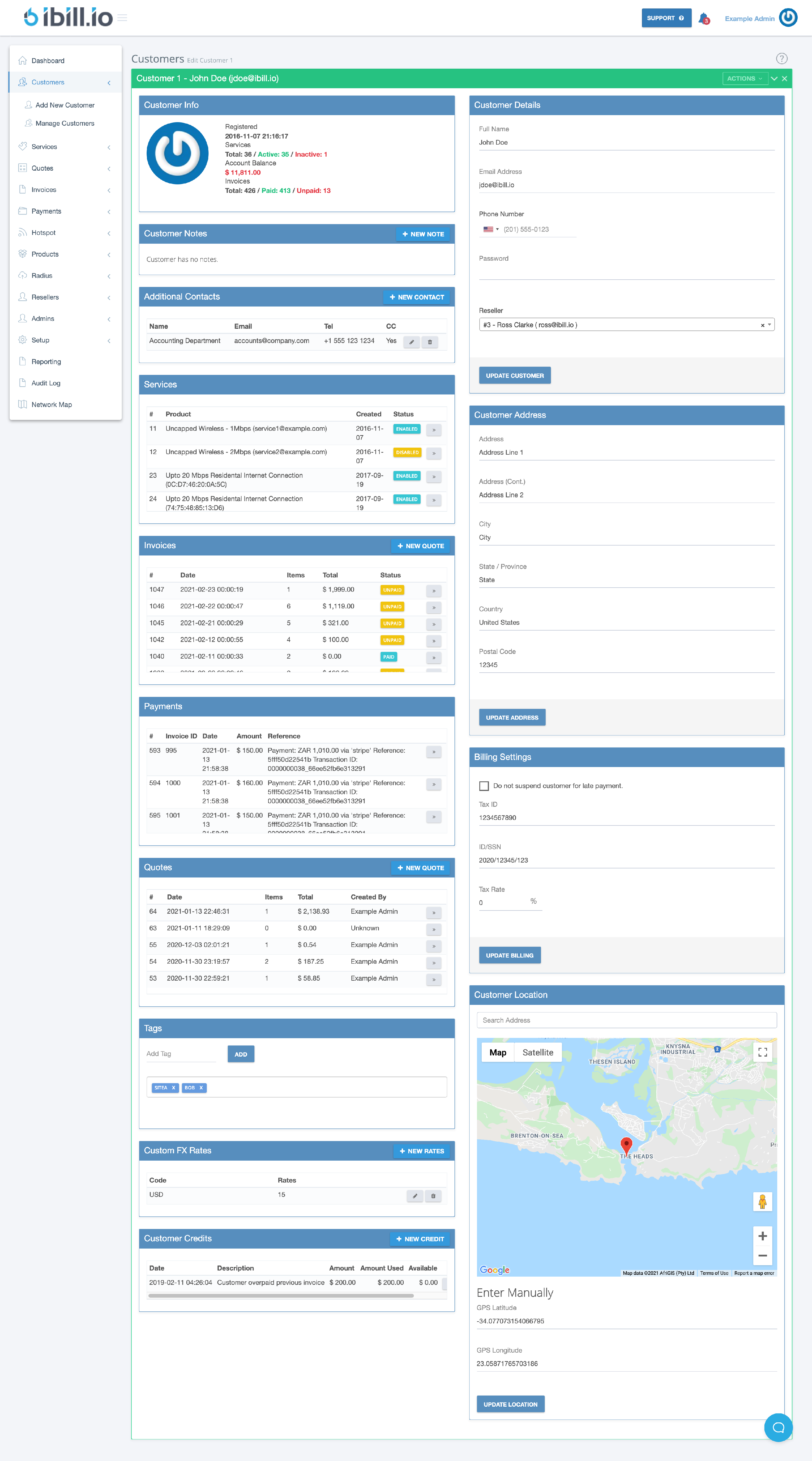
- Click the edit icon next to a customer to view and update their full information, including:
- Registered date
- Services
- Account balance
- Invoices
- Notes, contacts, tags, FX rates, credits, and more
- Assign to a reseller
- Billing settings (including suspension options)
- Location
Exporting and Adding Customers
- Export your customer list as a CSV file.
- Add new customers directly from this section.
If you need further assistance, click the support button at the top right of this page.