Audit Log
The Audit Log provides a comprehensive record of all significant actions performed within your iBill.io system. This feature is essential for maintaining transparency, accountability, and security, allowing you to track changes, investigate issues, and meet compliance requirements.
What You Can See in the Audit Log
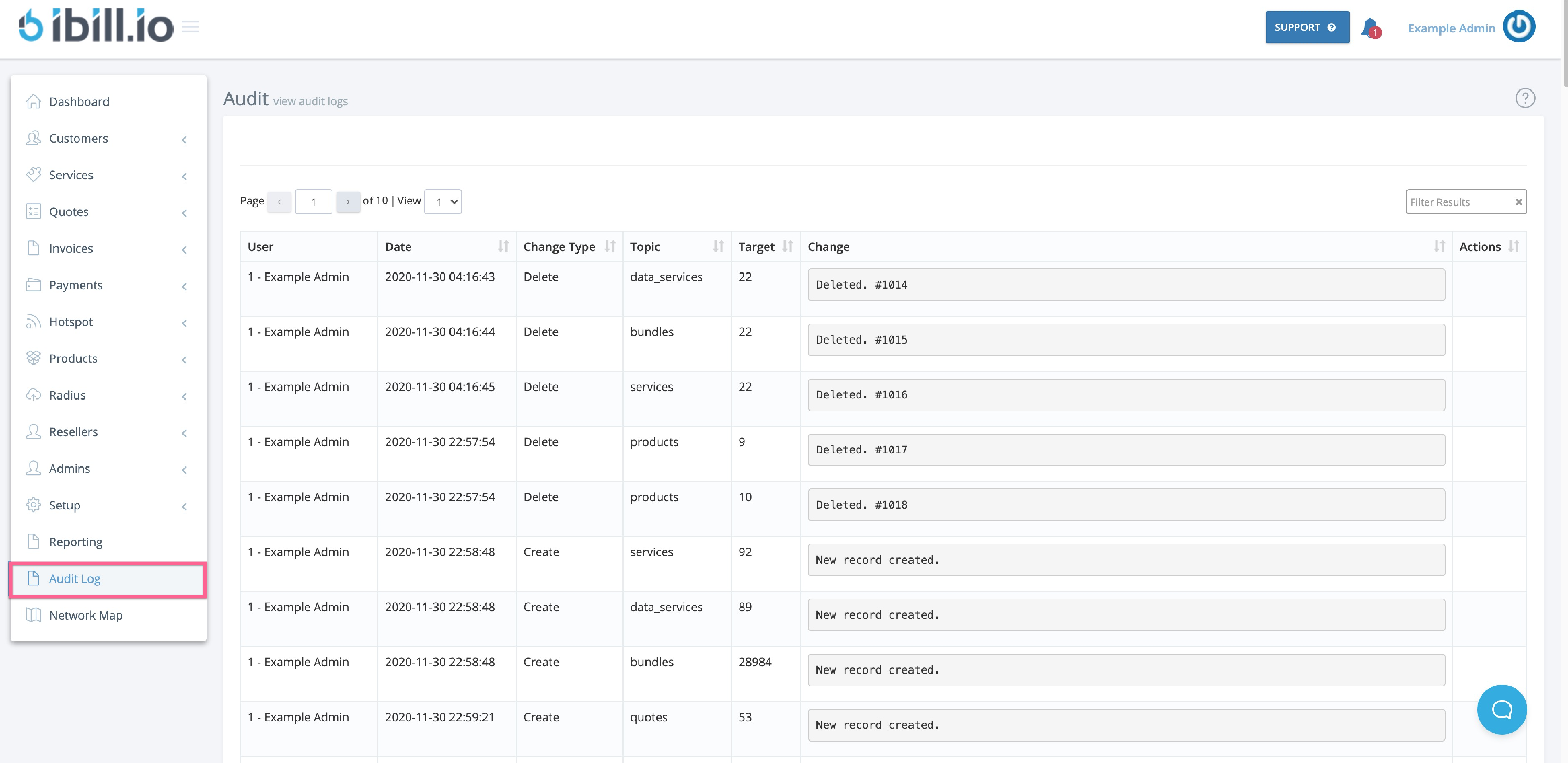
- User: The name or ID of the user who performed the action.
- Date: When the action occurred.
- Change Type: Whether the action was a creation, deletion, or edit.
- Topic: The area or module affected (e.g., Customers, Invoices, Services).
- Target: The specific item or record that was changed.
- Change Details: A summary of what was changed, added, or removed.
Using the Audit Log
- Sorting: Click the arrows next to each column title to sort by user, date, type, or other fields.
- Filtering: Use the filter box to quickly find specific changes or users.
Best Practices
- Regularly review the audit log to monitor for unauthorized or unexpected changes.
- Use the log to investigate issues or answer questions about who made a change and when.
- Export or archive logs periodically for long-term record-keeping.
If you need further assistance, click the support button at the top right of this page.