Managing Admins
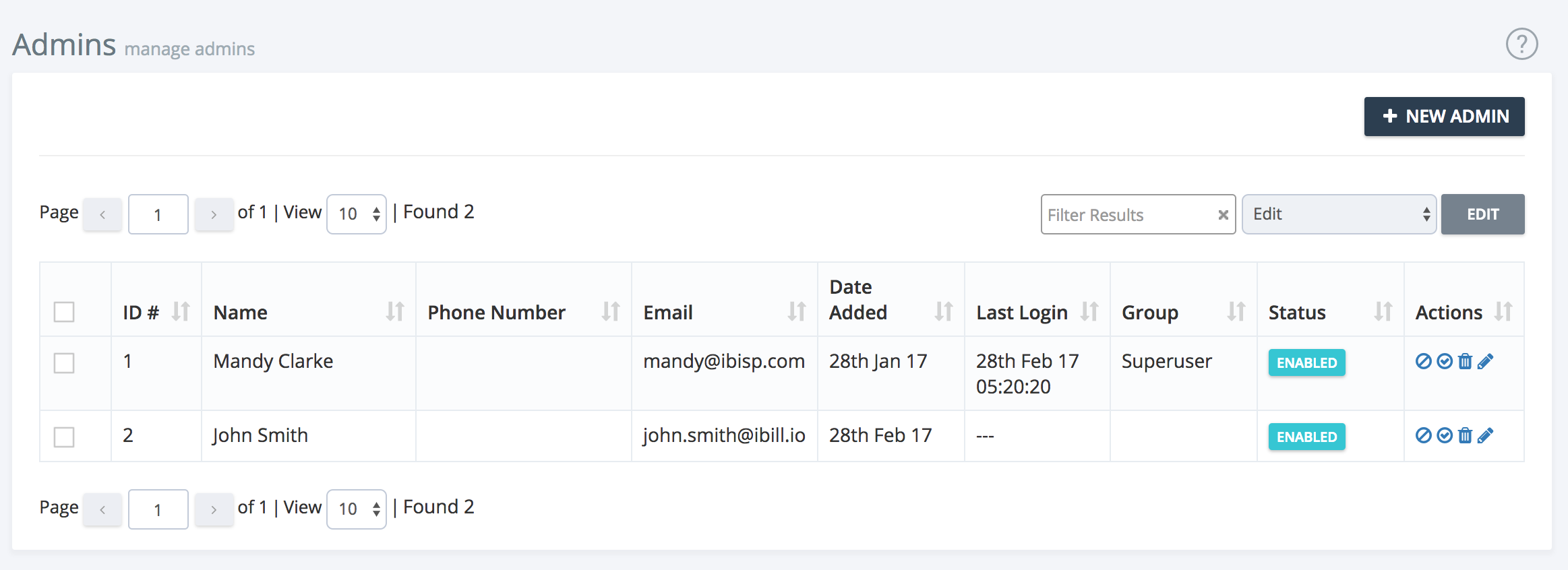
This section allows you to oversee all admin users in your iBill.io system. From here, you can enable, disable, edit, or delete admin accounts, as well as add new admins to your team.
Managing Admin Accounts
- View Admins: See a list of all current admin users, including their status and assigned groups.
- Enable/Disable: Temporarily restrict or restore access for an admin without deleting their account.
- Edit: Update admin details, such as name, email, phone number, or group assignment.
- Delete: Permanently remove an admin account if it is no longer needed.
- Add New Admin: Click the + New Admin button to create a new admin user.
Tips for Effective Admin Management
- Assign admins to appropriate groups to control their access.
- Regularly audit admin accounts and permissions.
- Use the disable feature for temporary suspensions instead of deleting accounts.
For further assistance, use the support button at the top right of this page.