Managing Administrators
Administrators (Admins) are key personnel with backend access to your iBill.io system. Managing admins effectively ensures your platform remains secure and well-organized. This section explains how to view, edit, and control admin accounts.
Admin List Overview
The Admins list provides a summary of all admin users, including: - ID: Unique identifier for each admin. - Name: Full name of the admin. - Phone Number: Contact number (if provided). - Email: Admin’s email address. - Date Added: When the admin account was created. - Status: Indicates if the admin is enabled or disabled. - Actions: Options to enable, disable, edit, or delete the admin account.
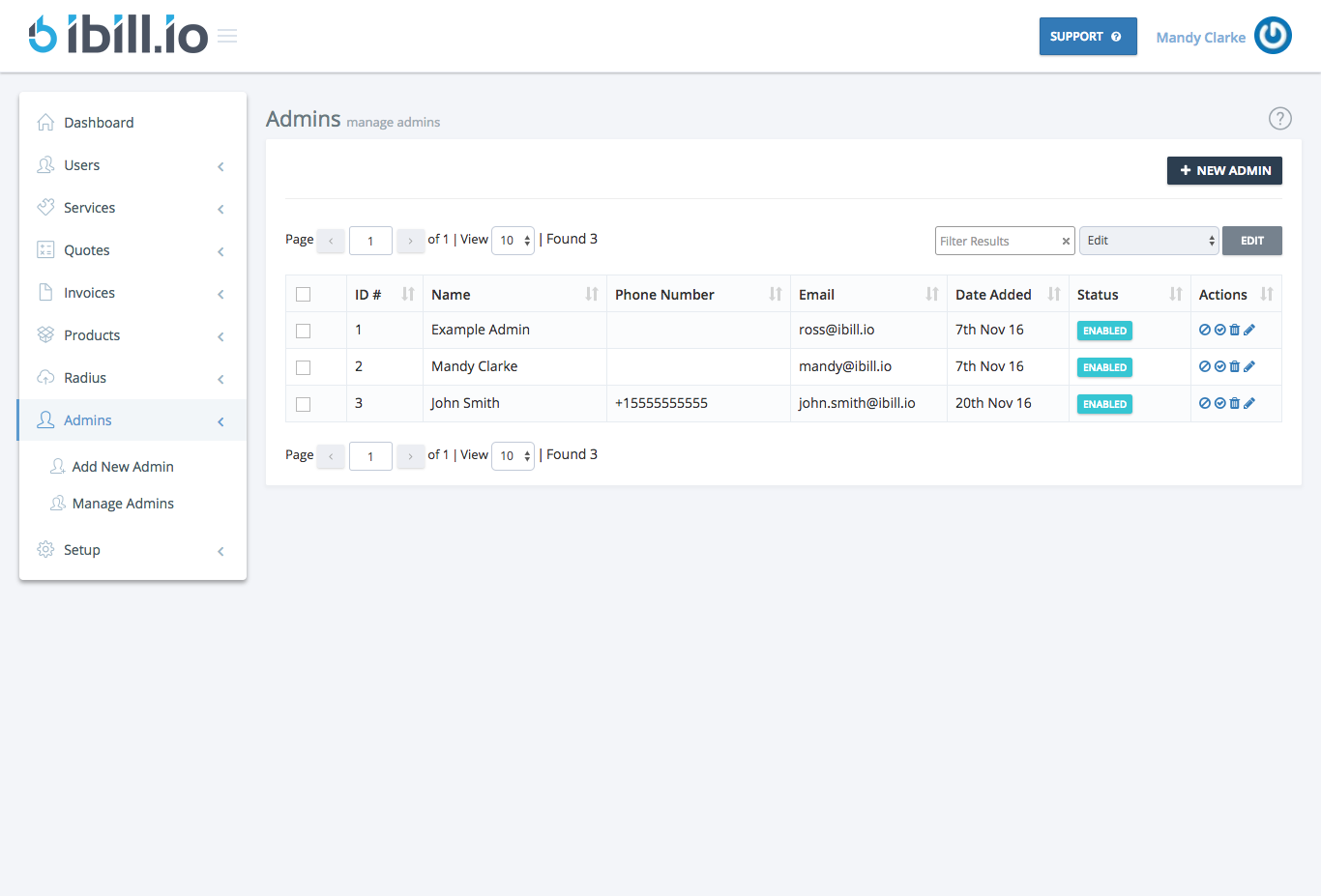
Note: The primary admin (created during site setup, usually with ID 1) cannot be removed for security reasons.
Adding a New Admin
Use the + New Admin button in the top right corner to add additional admins as your team grows.
Best Practices
- Regularly review the list of admins and their permissions.
- Disable or remove accounts that are no longer needed.
- Ensure each admin uses a unique, strong password.
If you need further help, click the support button at the top right of this page.