Managing Admin Users
Admins are users with backend access to your iBill.io system. They are responsible for system configuration, user management, and operational oversight. Regular users, by contrast, are valued customers or clients who access the client portal to manage their services, view invoices, and interact with your ISP’ees offerings. Admins have elevated privileges to ensure the smooth and secure operation of your ISP, billing, and RADIUS platform.
Adding a New Admin
Adding new Admin users ensures your team can securely manage the platform. Only trusted personnel should be granted admin access, as they have the ability to configure, modify, and oversee all aspects of the system.
How to Add a New Admin
- Navigate to the Admin Management Page Access this section by clicking the help link on the top right of the Admins page.
-
Enter Admin DetailsFill in the following information:
-
Full Name: The admin's full legal name.
- Email Address: Used for login and notifications. Must be unique.
- Password: Set a strong password for security.
- Telephone Number (optional): For contact or two-factor authentication.
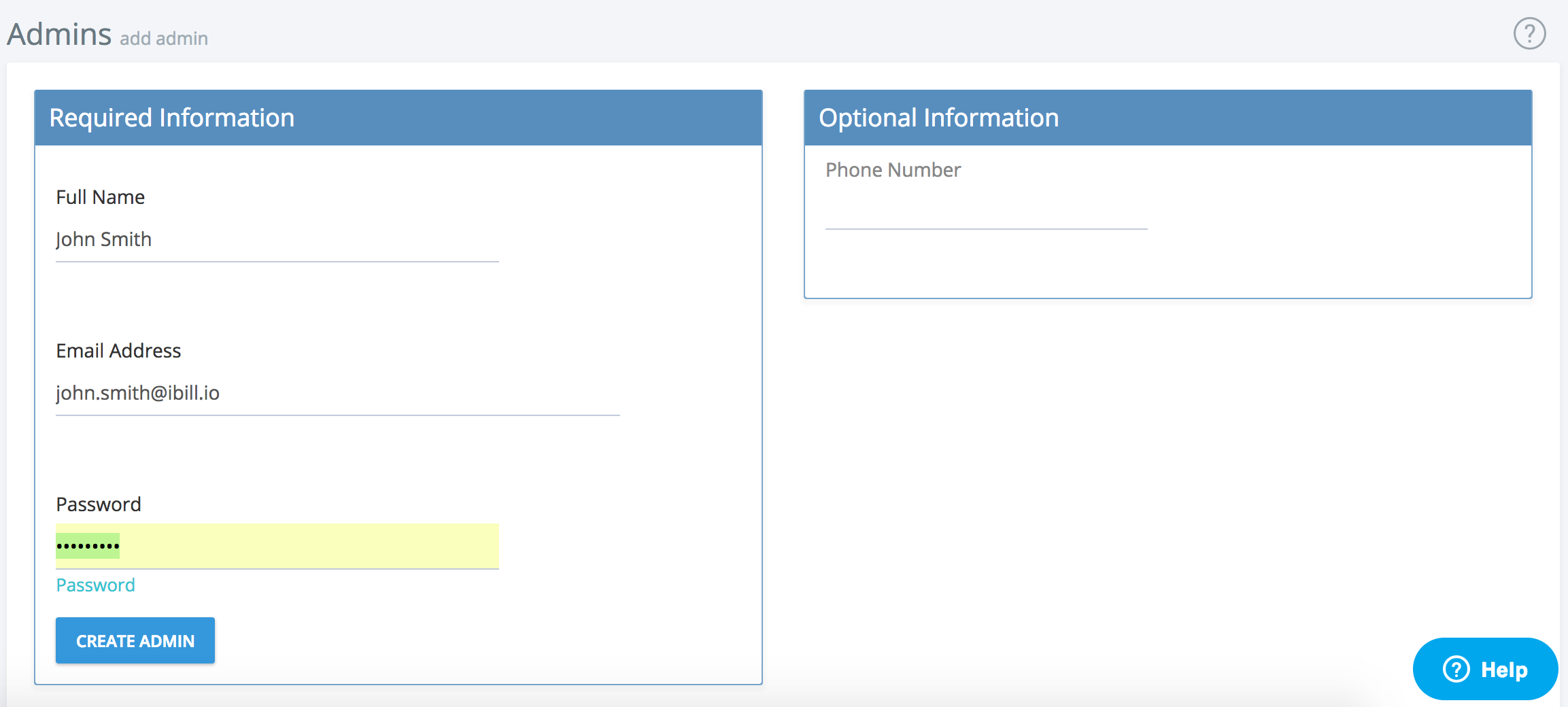
- Create the Admin Click the Create Admin button. The system will validate the information and create the new admin user.
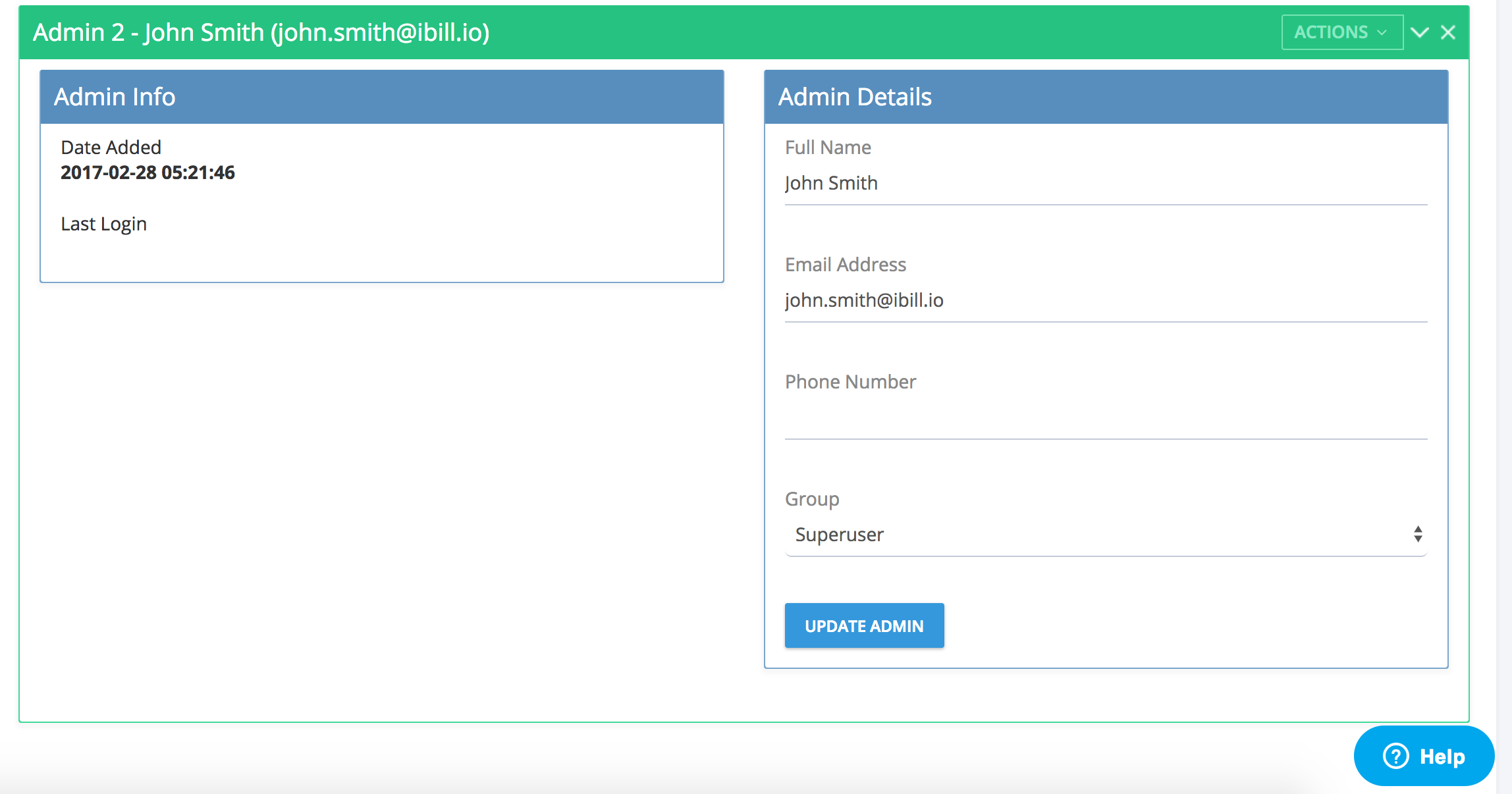
- Assign Permission Group After creation, you will see an overview of the new admin. Assign the appropriate permission group to control what sections and actions the admin can access.
Best Practices
- Only assign admin rights to trusted staff.
- Use strong, unique passwords for each admin.
- Regularly review and update admin permissions.
- Remove or disable admin accounts that are no longer needed.
Troubleshooting
- If you cannot create a new admin, ensure the email address is not already in use.
- For password issues, use the password reset feature or contact another admin with higher privileges.
For further assistance, click the support button at the top right of this page or contact your system administrator.